
The Most Common Problems with the Candela Gentle Max (and How to Fix Them)

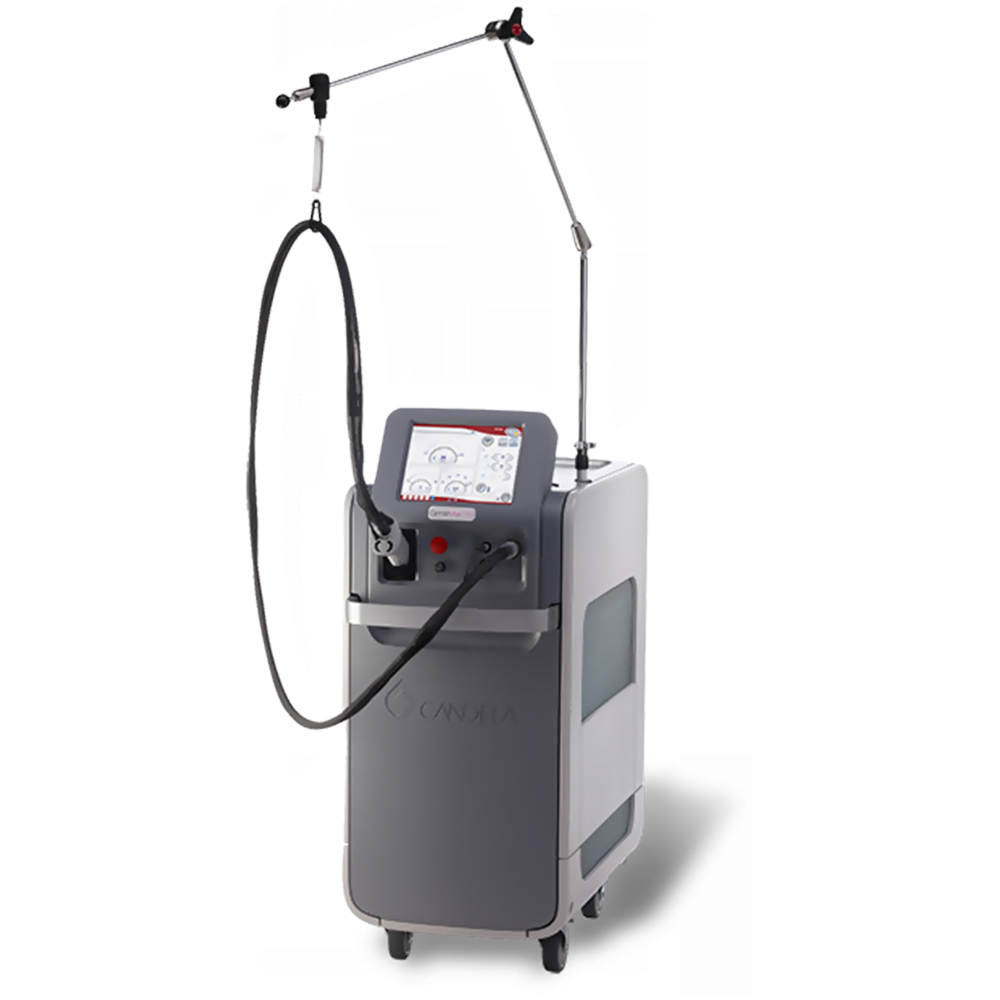
Medical laser treatment device with handheld applicator and adjustable arm, used for cosmetic and dermatological procedures.

What Is the GentleMax Pro?

The Candela GentleMax Pro is a highly regarded dual-wavelength laser platform widely used in dermatology and aesthetic practices. Known for its versatility, performance, and reliability, it remains one of the most trusted systems for a wide range of treatments.

Dual-Wavelength System

Combines a 755 nm Alexandrite laser (ideal for lighter skin tones and finer hair) with a 1064 nm Nd:YAG laser (safer for darker skin tones and coarse hair), enabling treatment across all Fitzpatrick skin types.

Versatile Applications

Effective for hair removal, pigmented lesions, vascular treatments, skin tightening, and wrinkle reduction—making it a multi-functional platform for modern practices.

Advanced Cooling & Efficiency

Features Candela’s Dynamic Cooling Device (DCD), delivering precise bursts of cryogen to protect the epidermis and enhance patient comfort. Large spot sizes and fast repetition rates improve treatment speed.

Proven Track Record

With over two decades of clinical use worldwide, the GentleMax Pro is trusted for its consistent performance, reliability, and strong patient outcomes.

Why it matters: The GentleMax Pro’s flexibility and proven performance make it a cornerstone device for clinics offering a wide range of aesthetic treatments.

Error 15.1 – Delivery System Transmission Low

When energy loss exceeds 20% between the laser and handpiece, the system triggers this error. This directly impacts treatment effectiveness and must be addressed promptly.

⚠️ Damaged debris shield
Replace the protective shield, recalibrate the system, and retest.
⚠️ Fiber-end damage or breakage
Often caused by wear, mishandling, or accidental impact. Replace the fiber if necessary.
⚠️ Internal lens damage
May occur after fiber issues and typically requires professional repair.
Important: This is one of the most common GentleMax Pro errors. Regular inspection of the debris shield and proper fiber handling can prevent costly repairs and performance loss.

The debris shield protects sensitive optical components from contamination, while the fiber ensures consistent energy delivery. Damage to either component can significantly reduce system performance. Addressing issues early helps maintain treatment quality and avoid downtime.

Error 26.1 / 26.2 – Internal Fiber Software Fault

These errors indicate communication glitches or memory faults within the system, often related to internal electronics or software processes.

Quick Fix:
Power off the system, unplug it for one minute to fully discharge capacitors, then restart the device.

Internal fiber software faults can interrupt treatments and cause unexpected downtime. In many cases, a simple power cycle resolves temporary glitches. However, persistent errors may indicate deeper issues requiring a software reload or professional service.

Best practice: Keep system software updated and perform routine maintenance checks to minimize recurring faults and ensure smooth operation.

Error 12.1 – Low Energy Output

This error indicates issues within the laser’s pump chamber, which contains critical components such as flashlamps, rod, and reflector.

⚠️ Worn flashlamps
These are replaceable and typically a lower-cost repair. In many cases, this is a quick and effective fix.
⚠️ Damaged rod or pump chamber
More severe wear may require full pump chamber assembly replacement, including lamps, rod, and housing.
Why this matters: Low energy output directly affects treatment effectiveness, leading to longer sessions and inconsistent results for patients.

In most cases, this issue develops gradually due to normal wear within the pump chamber. Flashlamps degrade over time from repeated high-energy pulses, and if not replaced proactively, can lead to further damage to the rod or reflector.

Best practice: Routine inspection and timely flashlamp replacement can prevent major repairs and significantly extend the lifespan of your GentleMax Pro.

Summary

The Candela GentleMax Pro is a powerful and versatile laser system trusted across the aesthetics industry for its ability to treat a wide range of skin types and conditions. However, like any precision medical device, it requires consistent maintenance and proper handling to perform at its best.

Common issues—such as fiber transmission errors, internal software faults, and low energy output—typically result from component wear, improper handling, or internal communication issues within the system.

Identifying and resolving these problems early is critical to minimizing downtime and ensuring safe, effective treatments. Preventative measures such as:

  • Inspecting and replacing debris shields and fibers regularly
  • Performing system resets when needed
  • Scheduling professional maintenance for pump chamber components

These steps help extend the lifespan of your device, maintain treatment consistency, and protect your investment.

Bottom line: Proactive maintenance not only prevents costly repairs but also ensures consistent results—supporting your clinic’s reputation and patient trust.

Need GentleMax Pro Service or Repair?

Our experienced technicians specialize in Candela laser systems, including diagnostics, repairs, and preventative maintenance to keep your device performing at its best.

Request Service / Speak with a Specialist

The Most Common Problems with Sakura Tissue Processors (and How to Fix Them)

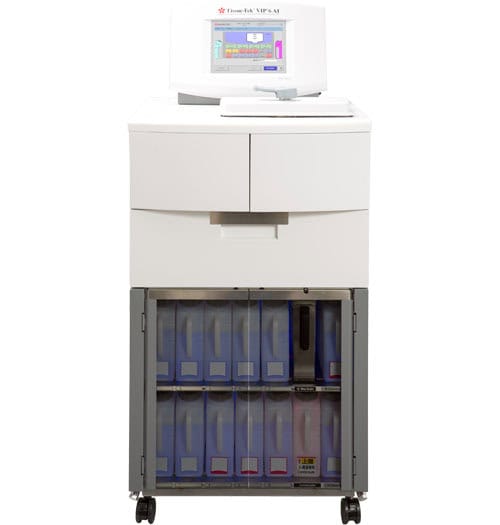
High-precision medical diagnostic device with touchscreen interface and storage drawers.

What Is a Tissue Processor?

A tissue processor is a vital instrument in histology labs, used to prepare tissue samples for microscopic examination. When tissue is removed from the body—whether through biopsy or surgery—it needs to be preserved and processed before it can be sliced, stained, and reviewed by a pathologist.

Tissue processors like those from Sakura automate this process. They move tissue samples through a series of chemical stations that remove water, replace it with alcohol, and eventually embed the tissue in paraffin wax. This automation ensures consistency, accuracy, and efficiency across large volumes of samples.


The Most Common Problems We See with Sakura Tissue Processors

At Amtech, we frequently work with labs using Sakura processors, and we often see a few recurring problems. Below are two of the most common issues—and how to troubleshoot them. A list of the tissue Tek Line up can be found below.

ModelKey Feature
VIP 1000 / 2000 / 3000Classic benchtop/floor models with varied capacity
VIP 5Flexible software, continuous mixing, easy control
VIP 6Enhanced reagent automation & interface
VIP 6 AIAutomatic mixing, remote support, advanced control
Xpress x120Rapid, continuous microwave‑vacuum processing

Problem #1: Station 3 Fails to Pump In or Out

A frequent user-repairable issue is a failure to pump in or pump out on station 3.

Here’s why it happens: Sakura tissue processors are usually set up with 10% neutral buffered formalin in stations 1 and 2, while station 3 holds alcohol. When formalin and alcohol interact, they produce sodium. Over time, sodium crystallizes and begins to clog the lines and connectors, especially in station 3.

How to Fix It:

The best solution is a hot water flush, which should be part of routine maintenance.

Here’s how to perform the flush:

  1. Fill the few water bottle with very hot (not boiling) water.
  2. Place the water into station 1 and manually pump in and pump out.
  3. Repeat for station 2.
  4. For station 3, use fresh hot water and pump in and out 2–3 times.
  5. Optionally flush station 4 to remove remaining sodium from the system.
  6. Return the water bottle to its standard position and test station 3 again.

If station 3 now pumps freely, the issue is resolved. Sakura recommends performing this flush every 4–5 processing cycles to prevent build-up.


Problem #2: Vacuum or Pressure Failure

Another common issue is a vacuum or pressure failure. This may require formal repair service, but there’s one thing you can check yourself: the retort lid gasket.

If this gasket isn’t sealing properly, the system can’t build or maintain vacuum and pressure.

How to Check It:

  1. Start a pump cycle on any station.
  2. While it’s running, listen around the retort lid.
  3. If you hear hissing sounds, the lid gasket is likely leaking.

In that case, contact Amtech. We can ship you a replacement gasket and walk you through the easy installation process.


Prevent Problems with Routine Maintenance

The key to preventing both of these issues is consistent maintenance. A hot water flush every few cycles can dramatically extend the life of your processor and prevent clogs. Listening for vacuum leaks during pump cycles can help catch gasket issues early.

If you’re experiencing problems with your Sakura processor or just want help with preventive maintenance, Amtech is here to support your lab every step of the way.