The Most Common Problems with the Cutera Enlighten (and How to Fix Them)

Cutera Enlighten Troubleshooting

The Cutera Enlighten is a premium dual-pulse laser system widely used for tattoo removal and advanced dermatologic treatments. Utilizing both picosecond and nanosecond pulse technology, the Enlighten provides superior treatment efficiency, faster results, and reduced tissue damage compared to older laser systems.

Its advanced optical architecture allows clinics to deliver precise, controlled energy to targeted tissue, making it one of the most effective tattoo removal and pigmentation treatment systems available today.

Why Proper Maintenance is Critical

The Enlightenโ€™s advanced optical and calibration systems require routine maintenance to ensure consistent performance. Issues such as lens contamination, calibration drift, and optical component wear can reduce treatment effectiveness and lead to system errors.

This guide covers the most common Cutera Enlighten problems, explains their causes, and outlines practical solutions to help minimize downtime and maintain optimal performance.

Loss of Treatment Effectiveness (Dirty or Damaged Lens Insert)

One of the most common Cutera Enlighten performance issues is reduced treatment effectiveness caused by contamination or damage to the handpiece lens insert. This issue can develop gradually and may not trigger any error codes, making it difficult to detect initially.

Common symptoms include:
  • Reduced treatment effectiveness
  • Slower tattoo clearance
  • Decreased visible tissue response
  • No system error codes present

Root Cause

Lens contamination or optical damage

Debris such as skin particles, hair, treatment residue, and carbon buildup can accumulate on the lens surface. Over time, laser exposure may also cause permanent burn spots in the lens coating, reducing optical efficiency.

Recommended Solution

  • Inspect the lens insert regularly for contamination or damage
  • Clean the lens daily using 91%+ isopropyl alcohol or acetone with a lint-free applicator
  • Replace lens inserts when performance declines
  • Use manufacturer-approved replacement components
Why this matters:

Maintaining a clean, undamaged lens ensures maximum energy delivery, faster treatment results, reduced procedure time, and improved patient satisfaction.

Cutera Enlighten Error Code 1530 โ€“ Energy Detector Mismatch

Error Code 1530 is a safety-related fault that prevents laser operation when internal energy measurements are inconsistent. This protects patients and ensures accurate energy delivery.

Common symptoms include:
  • Laser will not fire
  • Error Code 1530 displayed on screen
  • System shutdown during operation

Root Cause

Energy calibration mismatch

The Enlighten contains redundant energy detectors. If their readings differ by more than approximately 20%, the system shuts down to prevent unsafe operation.

Resolution

This issue requires professional calibration by a qualified laser service technician. Energy detectors must be tested and recalibrated using specialized diagnostic equipment.

Cutera Enlighten Calibration and Repair Available

Contact Amtech Medical โ†’

Fast response โ€ข Nationwide service โ€ข Certified laser technicians

Cutera Enlighten Error Code 1125 โ€“ Delay Line Failure

Error Code 1125 indicates failure within the laserโ€™s delay line system, which controls switching between picosecond and nanosecond pulse modes.

Common symptoms include:
  • Laser will not fire
  • Error Code 1125 displayed
  • Failure across all treatment modes

Root Cause

Delay line optical component failure

Most commonly caused by failure of the Liquid Crystal Retarder (LCR), which controls laser pulse timing and wavelength switching.

Professional Cutera Enlighten Repair Available

Contact Amtech Medical โ†’

Nationwide service โ€ข Fast turnaround โ€ข Experienced technicians

Preventive Maintenance Best Practices

  • Clean lens inserts daily
  • Schedule annual preventive maintenance
  • Inspect optical components regularly
  • Address error codes immediately
  • Maintain proper cleaning protocols

Final Thoughts on Cutera Enlighten Reliability and Maintenance

The Cutera Enlighten remains one of the most advanced and reliable laser systems available for tattoo removal and dermatologic treatments. Its dual picosecond and nanosecond capabilities provide exceptional clinical results, allowing providers to deliver faster treatments with improved precision and patient outcomes.

Like all high-performance laser systems, consistent maintenance is essential to ensure optimal performance. Many common issuesโ€”such as reduced treatment effectiveness, calibration mismatches, or optical component wearโ€”can be prevented through routine inspection, proper cleaning, and scheduled preventive maintenance.

By addressing minor issues early and maintaining proper service intervals, clinics can extend the lifespan of their Enlighten system, minimize downtime, and maintain consistent treatment quality. When more complex issues arise, professional service ensures the system is properly calibrated, repaired, and returned to peak operating condition.

Professional Maintenance Protects Your Investment

Routine preventive maintenance, optical cleaning, and calibration ensure your Cutera Enlighten continues delivering reliable, consistent performance. Proactive service reduces unexpected downtime and protects the long-term value of your laser system.

Need Help with Your Cutera Enlighten Laser?

Amtech Medical provides nationwide Cutera Enlighten service, repair, calibration, and preventive maintenance.

Contact Amtech Medical โ†’

Fast response โ€ข Nationwide service โ€ข Certified laser technicians

The Most Common Problems with the Candela Gentle Max (and How to Fix Them)

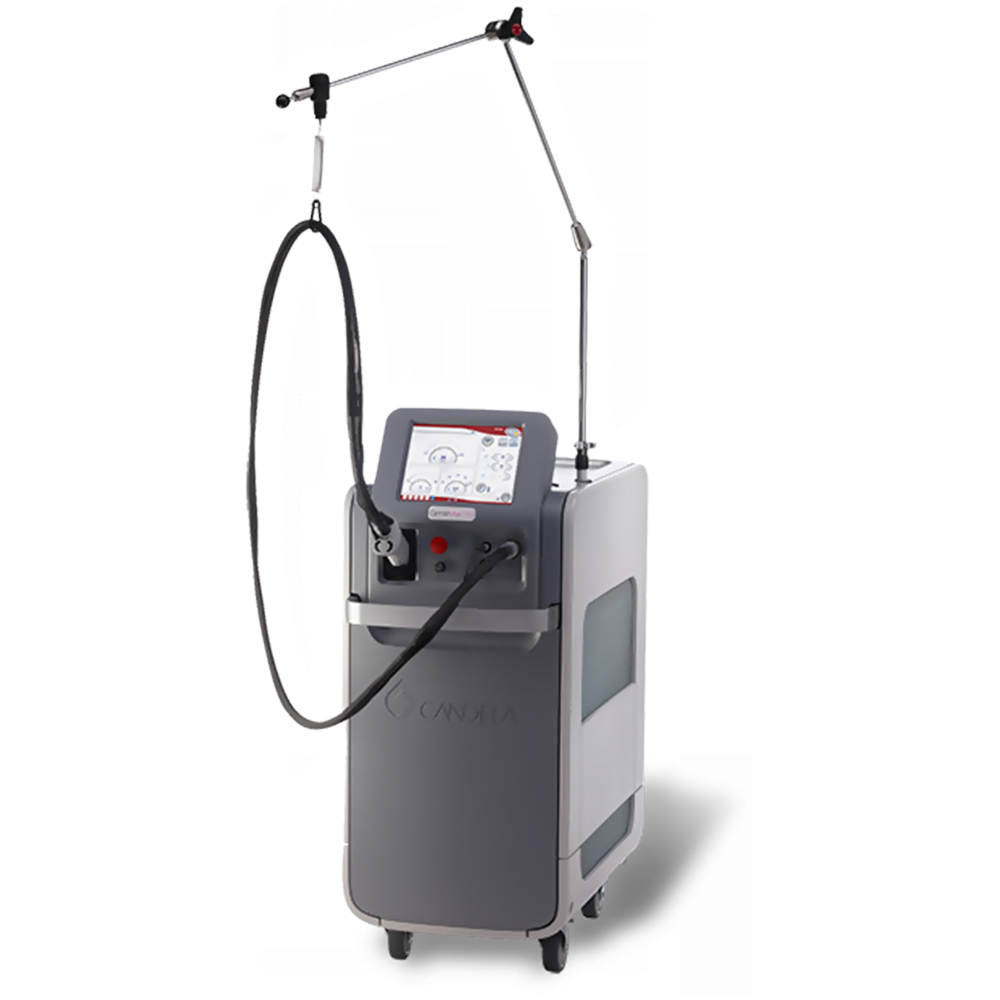
Medical laser treatment device with handheld applicator and adjustable arm, used for cosmetic and dermatological procedures.

What Is the GentleMax Pro?

The Candela GentleMax Pro is a highly regarded dual-wavelength laser platform widely used in dermatology and aesthetic practices. Known for its versatility, performance, and reliability, it remains one of the most trusted systems for a wide range of treatments.

Dual-Wavelength System

Combines a 755 nm Alexandrite laser (ideal for lighter skin tones and finer hair) with a 1064 nm Nd:YAG laser (safer for darker skin tones and coarse hair), enabling treatment across all Fitzpatrick skin types.

Versatile Applications

Effective for hair removal, pigmented lesions, vascular treatments, skin tightening, and wrinkle reductionโ€”making it a multi-functional platform for modern practices.

Advanced Cooling & Efficiency

Features Candelaโ€™s Dynamic Cooling Device (DCD), delivering precise bursts of cryogen to protect the epidermis and enhance patient comfort. Large spot sizes and fast repetition rates improve treatment speed.

Proven Track Record

With over two decades of clinical use worldwide, the GentleMax Pro is trusted for its consistent performance, reliability, and strong patient outcomes.

Why it matters: The GentleMax Proโ€™s flexibility and proven performance make it a cornerstone device for clinics offering a wide range of aesthetic treatments.

Error 15.1 โ€“ Delivery System Transmission Low

When energy loss exceeds 20% between the laser and handpiece, the system triggers this error. This directly impacts treatment effectiveness and must be addressed promptly.

โš ๏ธ Damaged debris shield
Replace the protective shield, recalibrate the system, and retest.
โš ๏ธ Fiber-end damage or breakage
Often caused by wear, mishandling, or accidental impact. Replace the fiber if necessary.
โš ๏ธ Internal lens damage
May occur after fiber issues and typically requires professional repair.
Important: This is one of the most common GentleMax Pro errors. Regular inspection of the debris shield and proper fiber handling can prevent costly repairs and performance loss.

The debris shield protects sensitive optical components from contamination, while the fiber ensures consistent energy delivery. Damage to either component can significantly reduce system performance. Addressing issues early helps maintain treatment quality and avoid downtime.

Error 26.1 / 26.2 โ€“ Internal Fiber Software Fault

These errors indicate communication glitches or memory faults within the system, often related to internal electronics or software processes.

Quick Fix:
Power off the system, unplug it for one minute to fully discharge capacitors, then restart the device.

Internal fiber software faults can interrupt treatments and cause unexpected downtime. In many cases, a simple power cycle resolves temporary glitches. However, persistent errors may indicate deeper issues requiring a software reload or professional service.

Best practice: Keep system software updated and perform routine maintenance checks to minimize recurring faults and ensure smooth operation.

Error 12.1 โ€“ Low Energy Output

This error indicates issues within the laserโ€™s pump chamber, which contains critical components such as flashlamps, rod, and reflector.

โš ๏ธ Worn flashlamps
These are replaceable and typically a lower-cost repair. In many cases, this is a quick and effective fix.
โš ๏ธ Damaged rod or pump chamber
More severe wear may require full pump chamber assembly replacement, including lamps, rod, and housing.
Why this matters: Low energy output directly affects treatment effectiveness, leading to longer sessions and inconsistent results for patients.

In most cases, this issue develops gradually due to normal wear within the pump chamber. Flashlamps degrade over time from repeated high-energy pulses, and if not replaced proactively, can lead to further damage to the rod or reflector.

Best practice: Routine inspection and timely flashlamp replacement can prevent major repairs and significantly extend the lifespan of your GentleMax Pro.

Summary

The Candela GentleMax Pro is a powerful and versatile laser system trusted across the aesthetics industry for its ability to treat a wide range of skin types and conditions. However, like any precision medical device, it requires consistent maintenance and proper handling to perform at its best.

Common issuesโ€”such as fiber transmission errors, internal software faults, and low energy outputโ€”typically result from component wear, improper handling, or internal communication issues within the system.

Identifying and resolving these problems early is critical to minimizing downtime and ensuring safe, effective treatments. Preventative measures such as:

  • Inspecting and replacing debris shields and fibers regularly
  • Performing system resets when needed
  • Scheduling professional maintenance for pump chamber components

These steps help extend the lifespan of your device, maintain treatment consistency, and protect your investment.

Bottom line: Proactive maintenance not only prevents costly repairs but also ensures consistent resultsโ€”supporting your clinicโ€™s reputation and patient trust.

Need GentleMax Pro Service or Repair?

Our experienced technicians specialize in Candela laser systems, including diagnostics, repairs, and preventative maintenance to keep your device performing at its best.

Request Service / Speak with a Specialist

The Most Common Problems with Sakura Tissue Processors (and How to Fix Them)

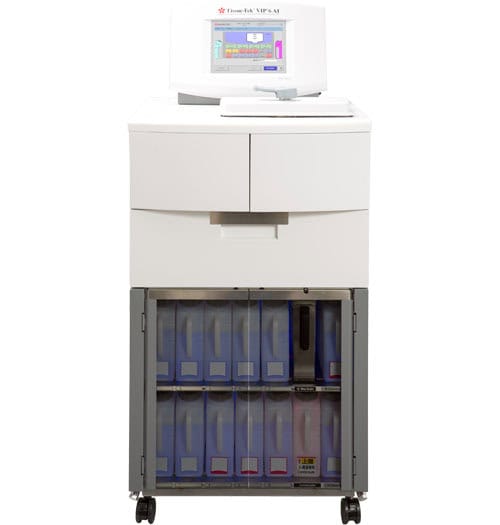
High-precision medical diagnostic device with touchscreen interface and storage drawers.

What Is a Tissue Processor?

A tissue processor is a vital instrument in histology labs, used to prepare tissue samples for microscopic examination. When tissue is removed from the bodyโ€”whether through biopsy or surgeryโ€”it needs to be preserved and processed before it can be sliced, stained, and reviewed by a pathologist.

Tissue processors like those from Sakura automate this process. They move tissue samples through a series of chemical stations that remove water, replace it with alcohol, and eventually embed the tissue in paraffin wax. This automation ensures consistency, accuracy, and efficiency across large volumes of samples.


The Most Common Problems We See with Sakura Tissue Processors

At Amtech, we frequently work with labs using Sakura processors, and we often see a few recurring problems. Below are two of the most common issuesโ€”and how to troubleshoot them. A list of the tissue Tek Line up can be found below.

ModelKey Feature
VIPโ€ฏ1000 / 2000 / 3000Classic benchtop/floor models with varied capacity
VIPโ€ฏ5Flexible software, continuous mixing, easy control
VIPโ€ฏ6Enhanced reagent automation & interface
VIPโ€ฏ6 AIAutomatic mixing, remote support, advanced control
Xpress x120Rapid, continuous microwaveโ€‘vacuum processing

Problem #1: Station 3 Fails to Pump In or Out

A frequent user-repairable issue is a failure to pump in or pump out on station 3.

Here’s why it happens: Sakura tissue processors are usually set up with 10% neutral buffered formalin in stations 1 and 2, while station 3 holds alcohol. When formalin and alcohol interact, they produce sodium. Over time, sodium crystallizes and begins to clog the lines and connectors, especially in station 3.

How to Fix It:

The best solution is a hot water flush, which should be part of routine maintenance.

Hereโ€™s how to perform the flush:

  1. Fill the few water bottle with very hot (not boiling) water.
  2. Place the water into station 1 and manually pump in and pump out.
  3. Repeat for station 2.
  4. For station 3, use fresh hot water and pump in and out 2โ€“3 times.
  5. Optionally flush station 4 to remove remaining sodium from the system.
  6. Return the water bottle to its standard position and test station 3 again.

If station 3 now pumps freely, the issue is resolved. Sakura recommends performing this flush every 4โ€“5 processing cycles to prevent build-up.


Problem #2: Vacuum or Pressure Failure

Another common issue is a vacuum or pressure failure. This may require formal repair service, but thereโ€™s one thing you can check yourself: the retort lid gasket.

If this gasket isnโ€™t sealing properly, the system can’t build or maintain vacuum and pressure.

How to Check It:

  1. Start a pump cycle on any station.
  2. While itโ€™s running, listen around the retort lid.
  3. If you hear hissing sounds, the lid gasket is likely leaking.

In that case, contact Amtech. We can ship you a replacement gasket and walk you through the easy installation process.


Prevent Problems with Routine Maintenance

The key to preventing both of these issues is consistent maintenance. A hot water flush every few cycles can dramatically extend the life of your processor and prevent clogs. Listening for vacuum leaks during pump cycles can help catch gasket issues early.

If you’re experiencing problems with your Sakura processor or just want help with preventive maintenance, Amtech is here to support your lab every step of the way.