
Introducing LithoWise Holmium Laser Fibers: Now Available at Amtech Medical

LithoWiseโ„ข Holmium Laser Fibers: Now Available at Amtech Medical

At Amtech Medical, weโ€™re committed to providing clinics and surgical practices with the tools they need to deliver safe, efficient, and high-quality patient care. Thatโ€™s why weโ€™re excited to announce our newest product line: LithoWiseโ„ข Holmium Laser Fibers.

These disposable optical fibers are essential accessories for holmium:YAG surgical lasers, trusted across urology, ENT, orthopedics, and general surgery. By offering a range of sizes, weโ€™re giving providers the flexibility to choose the fiber that best matches their surgical needs.


What Are Holmium Laser Fibers?

A holmium:YAG laser generates light energy at a wavelength of 2,100 nm โ€” highly effective for cutting, coagulation, and breaking apart hard tissue such as stones. But the laser itself never touches the patient. Instead, energy must be delivered through a fiber optic cable, which channels the laser beam safely from the generator to the surgical site.

Thatโ€™s where holmium laser fibers come in. These are precision-engineered optical fibers with:

  • SMA 905 Connector โ€“ Industry-standard design for wide compatibility.
  • 2.5 Meter Length โ€“ Long enough for maneuverability in surgical settings.
  • Disposable Packaging โ€“ Supplied in boxes of 10 for sterile, single-use applications.

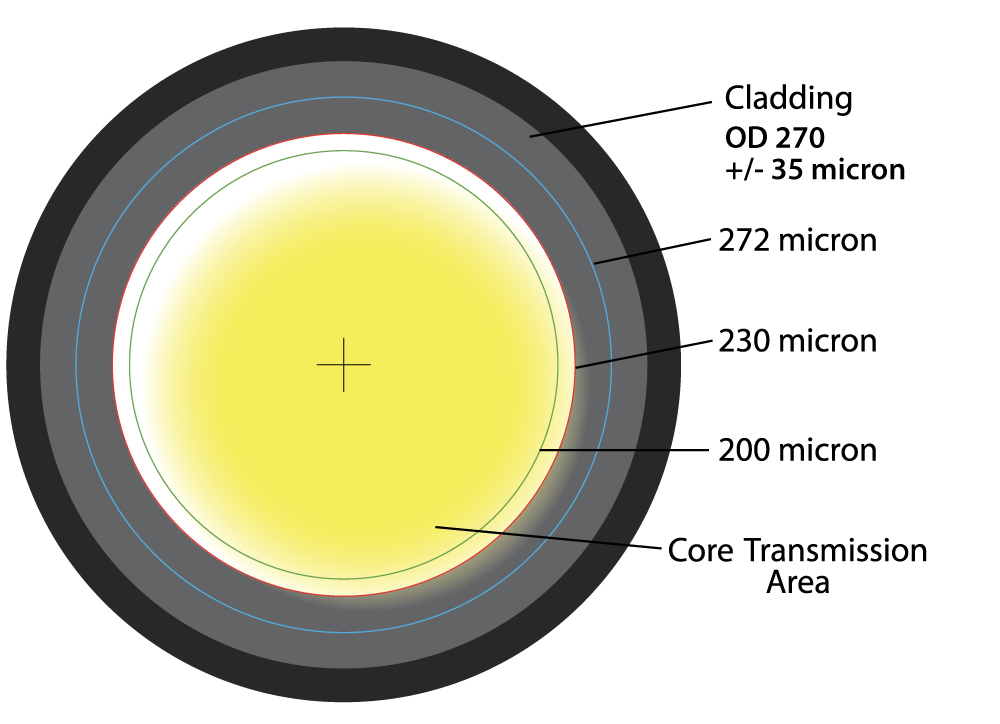
LITHOWISE FIBER

Crosshair Alignment to Maximum Fiber Core
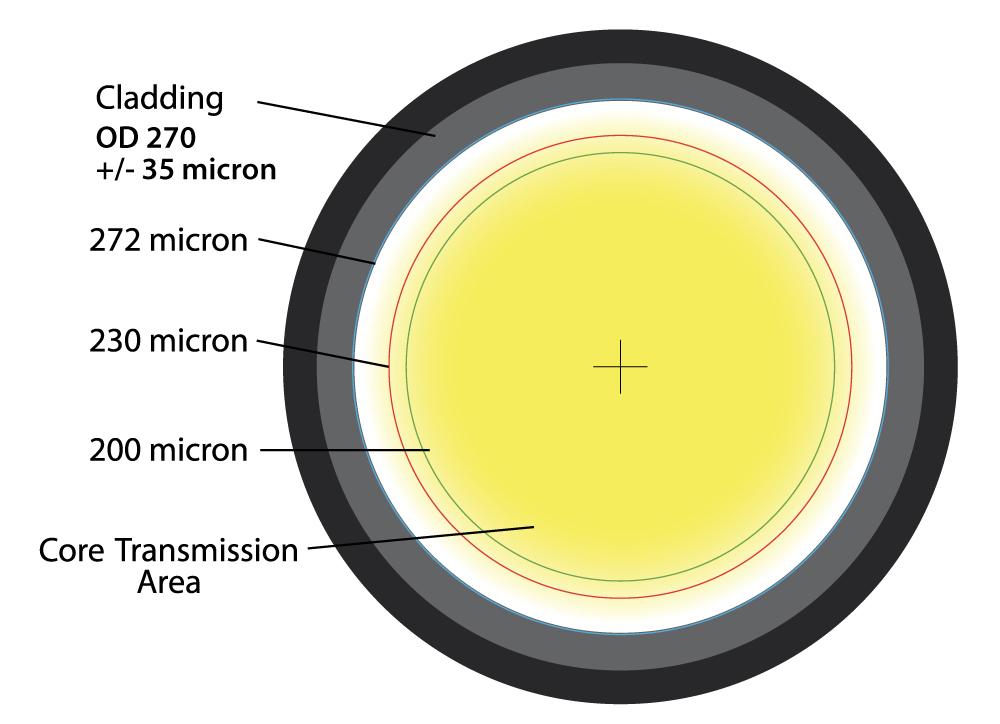
High-quality medical cable with detailed cross-section, emphasizing manufacturing accuracy and precision.

OTHER FIBERS

Standard Connectors โ€ข Standard Fiber Core โ€ข Errant Beam Expected

High-quality optical fiber cross-section illustrating cladding, core, and transmission area for medical fiber optics.

Full Powerย beam capacity to target
even under bend

Lower Power to the target
especially under bend


Why They Matter in Surgery

Holmium lasers are used across a wide range of specialties, and fibers are tailored to the procedure:

  • Urology โ€“ For lithotripsy, fibers transmit high-energy pulses to fragment kidney and ureteral stones.
  • ENT Procedures โ€“ Used in delicate areas such as the nasal cavity or throat for precise tissue removal.
  • Orthopedic & General Surgery โ€“ Larger fibers deliver more energy for efficient cutting and coagulation of soft tissue.

Choosing the right fiber diameter ensures balance between flexibility, scope compatibility, and energy delivery.


Our LithoWiseโ„ข Product Line


Compatible With

LithoWiseโ„ข fibers are designed with universal SMA 905 connectors, making them compatible with most major holmium:YAG laser systems on the market, including:

This ensures that no matter what system your facility is running, LithoWiseโ„ข fibers are ready to integrate seamlessly.


Clinical Examples

  • 9mm Ureteral Stone (Urology) โ€“ A 365ยตm fiber offers enough energy while fitting through narrow ureteroscopes.
  • Nasal Polyp Removal (ENT) โ€“ A 272ยตm fiber provides precision in tight working spaces.
  • Soft Tissue Ablation (General Surgery) โ€“ A 550ยตm fiber balances power and durability.
  • High-Volume Lithotripsy (Urology) โ€“ A 940ยตm fiber withstands the most demanding stone fragmentation cases.

Why Choose Amtech Medical for LithoWiseโ„ข Fibers?

  • Reliable Supply โ€“ Keep your clinic stocked with consumables.
  • Competitive Pricing โ€“ Cost-effective without sacrificing quality.
  • Trusted Expertise โ€“ Backed by years of experience in medical equipment service and sales.
  • Easy Ordering โ€“ Available directly through our online store.

๐Ÿ‘‰ Shop LithoWiseโ„ข Holmium Laser Fibers Now


Final Thoughts

By introducing LithoWiseโ„ข Holmium Laser Fibers, Amtech Medical continues its mission to support healthcare providers with both essential consumables and advanced medical equipment. With broad compatibility, proven reliability, and a variety of core sizes, these fibers are an essential addition to any surgical practice using holmium:YAG laser systems.

What Is a Mohs Lab? A Complete Guide

Microbiology lab tissue sample slide, histology, pathology, laboratory, cellular structure, scientific research, medical diagnostics, histopathology.

If you work in dermatology or have ever heard of Mohs micrographic surgery, youโ€™ve probably come across the term Mohs lab. But what exactly is it? And why is it so central to modern skin cancer treatment?

This guide breaks down everything you need to know about Mohs labs: what they are, what happens inside them, why they exist, and the equipment they use every single day.


What Is a Mohs Lab?

A Mohs lab is a specialized laboratory attached to a dermatology practice that performs tissue processing and analysis during Mohs surgery โ€” the gold-standard procedure for removing certain types of skin cancer.

Unlike traditional pathology labs, which may take days to process samples, a Mohs lab is designed for speed and precision. It prepares, freezes, sections, stains, and analyzes tissue samples while the patient is still in the office.

The goal: confirm whether cancer cells remain at the surgical margins and guide the surgeon in real time until all cancer is removed.


What Happens in a Mohs Lab?

The workflow inside a Mohs lab is tightly connected to the surgical procedure:

  1. Tissue Removal โ€“ The surgeon excises a thin layer of tissue from the patient.
  2. Mapping & Orientation โ€“ The specimen is carefully inked and mapped to match the surgical site, ensuring precise orientation.
  3. Embedding & Freezing โ€“ The specimen is embedded in OCT compound and frozen in the cryostat.
  4. Sectioning โ€“ The frozen tissue block is sliced into thin sections (5โ€“10 microns) using the cryostatโ€™s microtome.
  5. Slide Preparation โ€“ Tissue slices are mounted on slides.
  6. Staining โ€“ Slides are stained, often with hematoxylin and eosin (H&E), so cells are visible under the microscope.
  7. Examination โ€“ The surgeon or a pathologist reviews the slides immediately. If cancer cells are present, another layer is removed, and the cycle repeats.

This process continues until all margins are cancer-free.


Why Do We Need Mohs Labs?

Mohs labs exist because time and accuracy matter in skin cancer surgery. Traditional pathology methods take much longer โ€” tissue is fixed, dehydrated, embedded in paraffin, and processed over hours or days. For patients, that means waiting for results and sometimes needing multiple surgeries.

Mohs labs solve this by:

  • Providing same-day results โ€“ Patients know before they leave whether all the cancer has been removed.
  • Preserving healthy tissue โ€“ By only removing tissue with cancer at the margins, surgeons minimize scarring and disfigurement.
  • Delivering higher cure rates โ€“ Mohs surgery has cure rates of up to 99% for certain cancers, thanks to this precise lab work.

Equipment Found in a Mohs Lab

A Mohs lab is compact but packed with highly specialized equipment:

  • Cryostat โ€“ The centerpiece of any Mohs lab, used to freeze and section tissue.
  • Microscope โ€“ Allows the surgeon to examine stained tissue slides for cancer cells.
  • Embedding station โ€“ For orienting and embedding tissue in OCT compound before freezing.
  • Staining setup โ€“ Ranges from simple manual staining trays to automated stainers.
  • Freezers โ€“ Used for storing reagents and sometimes tissue.
  • Workstations โ€“ For tissue inking, mapping, and documentation.
  • Consumables & Accessories โ€“ OCT compound, slides, coverslips, staining reagents, scalpels, brushes, forceps, and PPE.

Some labs also include digital pathology equipment for imaging and documenting slides, although this is less common in smaller dermatology practices.


Who Works in a Mohs Lab?

Depending on the size of the practice, Mohs labs may be staffed by:

  • Surgeons โ€“ Often dermatologic surgeons perform the slide reading themselves.
  • Histotechnicians (Histotechs) โ€“ Specially trained lab staff who embed, cut, and stain tissue.
  • Lab Assistants โ€“ Supportive roles like slide labeling, reagent prep, or documentation.

Because speed is critical, Mohs labs often run like a well-oiled machine with clear roles for every team member.


The Importance of Workflow

A Mohs lab isnโ€™t just about the equipment โ€” itโ€™s about the workflow. Every step, from inking tissue to mounting slides, must be done quickly, accurately, and with absolute attention to orientation.

If a specimen is mis-labeled, poorly oriented, or cut incorrectly, the entire surgical process can be compromised. Thatโ€™s why training, standardized procedures, and preventive maintenance are so crucial in Mohs labs.


The Bigger Picture: Why Mohs Labs Matter

Skin cancer is the most common cancer in the United States, and Mohs surgery is the most precise way to treat it. The Mohs lab makes this procedure possible.

Without it, surgeons would be left waiting days for results โ€” and patients would face longer recoveries, multiple surgeries, and higher recurrence rates.

By combining surgery and lab work into a single, same-day process, Mohs labs:

  • Reduce patient anxiety
  • Lower healthcare costs
  • Improve cosmetic outcomes
  • Deliver the highest possible cure rates

Final Thoughts

A Mohs lab is more than just a room with a cryostat โ€” itโ€™s the engine behind modern skin cancer surgery. From freezing and slicing tissue to staining and slide analysis, every step inside a Mohs lab is designed to support the surgeon in delivering fast, accurate, and effective care.

For dermatology practices, investing in a well-equipped, well-trained Mohs lab is an investment in patient trust, clinical outcomes, and long-term success.


Additional Resources


The Most Common Problems with Midmark Procedure Lights (And How to Fix Them)

The Most Common Problems with Midmark Procedure Lights (And How to Fix Them)

Midmark procedure lights are widely used across medical offices, dermatology clinics, outpatient surgical centers, and examination rooms. These lights provide the bright, focused illumination required for precision procedures, ensuring clinicians have clear visibility during examinations, biopsies, and surgical work. Available in both mobile and ceiling-mounted configurations, Midmark lights are known for their durability, smooth positioning, and dependable performance.

Over time, Midmark has produced multiple generations of procedure lights. Two of the most commonly encountered models today are the halogen-based Midmark 355 and the newer LED-based Midmark 255. While both systems are designed for long-term reliability, their internal components and failure patterns differ significantly.

Common Midmark Procedure Light Models:
  • Midmark 355: Traditional halogen-bulb procedure light with transformer-driven illumination
  • Midmark 255: Modern LED-based procedure light with longer lifespan and reduced maintenance requirements

Although these lights are engineered for longevity, electrical components, bulbs, and LED boards eventually wear out. Understanding the most common Midmark procedure light problems helps clinics troubleshoot quickly, reduce downtime, and determine when professional service is required.

Midmark 355 Light Will Not Turn On

One of the most frequently reported issues with the Midmark 355 procedure light is complete loss of illumination. Because this model relies on a halogen bulb and transformer system, multiple components must function correctly for proper operation.

Common symptoms include:
  • Light does not turn on when power switch is activated
  • Bulb intermittently works, then fails again
  • No visible illumination despite confirmed power connection

Most Common Causes

  • Burned-out halogen bulb
  • Incorrect bulb type causing premature failure
  • Transformer supplying excessive voltage
  • Pinched or damaged internal wiring within mounting arm

Recommended Fix and Best Practices

  • Replace the halogen bulb using gloves or lint-free cloth
  • Verify correct bulb model and voltage specifications
  • Inspect transformer output if bulbs fail repeatedly
  • Check wiring integrity if light fails intermittently or only in certain positions

If wiring damage or transformer issues are suspected, professional service may be required to safely diagnose and repair internal electrical components.

Midmark 255 LED Board Failure

The Midmark 255 uses an integrated LED illumination system instead of a traditional halogen bulb. While LEDs provide significantly longer lifespan and improved efficiency, failure typically occurs at the board level rather than a single replaceable bulb.

Common symptoms include:
  • Light fails completely with no illumination
  • No response despite confirmed electrical power
  • Sudden loss of function without gradual dimming

Underlying Causes

  • Failure of LED driver board
  • Electrical surges damaging sensitive LED circuitry
  • Long-term electrical component wear

Resolution

The most effective solution is replacement of the LED board assembly. Installing surge protection can help extend system lifespan and prevent future failures caused by electrical fluctuations.

Professional Midmark Procedure Light Repair Available

Contact Amtech Medical โ†’

Fast response โ€ข Nationwide service โ€ข Experienced medical equipment technicians

Midmark 355 Bulb Cracking or Overheating

Premature bulb cracking or overheating is another common issue with halogen-based Midmark 355 lights. This problem is often related to improper bulb handling during installation rather than internal system failure.

Root Cause

Halogen bulbs are extremely sensitive to contamination. Oils from skin create microscopic hot spots on the glass surface. When the bulb heats during operation, these areas overheat and cause the glass to crack prematurely.

Recommended Prevention

  • Always wear gloves when installing halogen bulbs
  • Use lint-free cloth if gloves are unavailable
  • Ensure power is turned off during bulb replacement
  • Avoid touching glass surface directly

Proper bulb handling significantly extends bulb lifespan and prevents unnecessary replacement costs.

Midmark Procedure Light Sways or Will Not Hold Position

Proper positioning stability is essential for any procedure light. When a Midmark light begins drifting, swaying, or failing to hold its position, it can interfere with clinical workflows and compromise procedural visibility. This issue most commonly affects mobile stand-mounted units or articulated ceiling-mounted systems.

Common symptoms include:
  • Light slowly drifts downward after positioning
  • Light feels loose or unstable at pivot joints
  • Difficulty maintaining stable illumination during procedures
  • Light arm moves too freely or lacks resistance

Underlying Cause: Counterweight Imbalance

Midmark procedure lights rely on a precision counterweight system to maintain balance throughout the full range of motion. Over time, normal wear, improper adjustment, or component fatigue can cause the counterweight system to lose alignment. When this occurs, the articulated arm cannot properly counterbalance the weight of the light head.

Recommended Resolution

  • Adjust counterweight positioning to restore balance
  • Inspect pivot joints for excessive wear
  • Replace worn counterweight or balance components if necessary
  • Verify proper installation and mounting alignment

If adjustments do not resolve the issue, professional service may be required to repair or replace internal balance components.

Understanding Long-Term Reliability of Midmark Procedure Lights

Midmark procedure lights are widely recognized for their durability and long service life. The Midmark 355 halogen model typically requires more frequent maintenance due to bulb replacement needs, while the Midmark 255 LED model offers extended lifespan with fewer service requirements.

Most failures occur due to normal component aging, electrical wear, or environmental factors such as electrical surges or improper handling. Fortunately, these issues are generally straightforward to repair, and properly maintained Midmark lights can remain operational for many years.

Typical component lifespan expectations:
  • Halogen bulbs: Require periodic replacement depending on usage
  • LED boards: Longer lifespan but require replacement upon failure
  • Counterweight and pivot systems: Long-lasting with proper adjustment
  • Electrical wiring and transformers: Extremely durable when properly installed

Routine maintenance and proper handling significantly extend the lifespan and reliability of Midmark procedure lights.

Preventive Maintenance Best Practices for Midmark Lights

Implementing preventive maintenance practices helps minimize downtime, extend component lifespan, and ensure reliable illumination performance. Most Midmark light issues can be prevented through proper handling, electrical protection, and routine inspection.

Recommended preventive maintenance practices:
  • Use gloves when installing halogen bulbs to prevent premature failure
  • Install surge protection to protect LED boards and electrical components
  • Ensure proper installation to prevent wiring damage
  • Inspect counterweight balance periodically
  • Keep replacement bulbs available for halogen systems
  • Schedule routine professional equipment inspections

Preventive care helps avoid unexpected failures and ensures consistent clinical performance.

Final Thoughts on Midmark Procedure Light Reliability and Repair

Midmark procedure lights are designed to provide dependable illumination in demanding clinical environments. Their simple, robust design allows most issues to be resolved quickly, whether through bulb replacement, LED board repair, electrical troubleshooting, or counterweight adjustment.

By identifying and addressing minor issues early, clinics can prevent larger failures and maintain uninterrupted operation. Routine maintenance, proper installation, and electrical protection play a critical role in maximizing system lifespan.

When professional repair is required, prompt service ensures safe, reliable operation and minimizes downtime.

Need Midmark Procedure Light Repair or Maintenance?

Contact Amtech Medical โ†’

Fast response โ€ข Nationwide service โ€ข Experienced medical equipment technicians

The Most Common Problems with the Candela Vbeam Perfecta (And How to Fix Them)

Vbeam perfecta problems

The Candela Vbeam Perfecta is one of the most trusted pulsed dye lasers in dermatology. Designed primarily for vascular treatments such as veins, rosacea, and scars, it also has off-label uses for warts and other skin conditions.

What makes the Vbeam unique is its 595 nm wavelength. Sitting in the yellow-orange range of visible light, this wavelength is absorbed especially well by blue vessels, making it highly effective for vascular work.

Key Technical Difference: Dye-Based Laser System

Unlike solid-state lasers, the Vbeam is a dye-based laser. This architecture provides exceptional vascular targeting performance, but also introduces unique maintenance requirements and long-term service considerations.

Because of this design, the Vbeam has specific quirks around routine maintenance, optical transmission, and dye lifespan.

Here are the most common problems and error codes seen with the Candela Vbeam Perfecta, what they mean, and how to address them.

Fault 15 โ€“ Transmission Error

If youโ€™ve ever seen your Vbeam throw a Fault 15 message during calibration, you know how disruptive it can be. Treatments stop, calibration fails, and patient schedules are affected.

This fault indicates a transmission loss between the laser head and the handpiece. In simple terms, the energy generated inside the system is not reaching the treatment area efficiently.

When the system detects approximately 25โ€“30% transmission loss, it shuts down operation to prevent ineffective or unsafe treatment delivery.

Common clinical symptoms include:
  • Calibration failure
  • Weak or inconsistent output
  • Noticeable dead spots during treatment
  • Reduced treatment effectiveness

Primary Causes

  • Damaged or degraded fiber optic line
  • Worn or contaminated slider lenses
  • Debris shield contamination or wear

Recommended Fix and Best Practices

Daily debris shield cleaning with alcohol is the simplest and most effective preventive measure.

If Fault 15 appears, try switching handpiece sliders. For example, move from a 7 mm slider to a 5 mm or 10 mm slider.

If the fault resolves, the original slider likely needs repair or replacement. If the fault persists across multiple sliders, fiber damage may require professional service.

Fault 6 โ€“ Calibration Fault

Calibration is a built-in safety system that verifies energy output accuracy whenever settings are changed.

When the system cannot achieve the requested energy level, it generates Fault 6 and prevents operation.

Typical signs include:
  • Error during calibration
  • Failure to reach selected energy levels
  • No improvement after cleaning or slider changes

Underlying Cause

Unlike Fault 15, Fault 6 typically indicates an internal energy generation issue rather than a transmission problem.

  • Dye cartridge approaching end-of-life
  • Internal mirror degradation
  • Laser optics efficiency loss

Solution

Fault 6 requires professional service to restore proper laser generation and calibration accuracy.

Professional Candela Vbeam Perfecta Service Available

Contact Amtech Medical โ†’

Fast response โ€ข Nationwide service โ€ข Experienced laser technicians

Fault 12 โ€“ Energy Out of Range / Energy Imbalance

If youโ€™ve ever seen your Vbeam display an Energy Out of Range or imbalance warning, it is usually an early indicator of dye depletion. This fault appears when the laser can no longer maintain consistent energy output.

How It Appears in Clinical Use

  • Energy output becomes inconsistent
  • Treatments appear weaker than expected
  • Output performance fluctuates
  • The system eventually displays Fault 12

Why This Happens

The Vbeam generates laser output using a series of precisely timed sub-pulses. These pulses must remain balanced to deliver proper treatment energy.

As the dye begins to break down, energy generation becomes uneven. The system detects this imbalance and triggers Fault 12 before performance degrades further.

Resolution

Fault 12 almost always indicates that the dye cartridge has reached the end of its usable lifespan and requires replacement.

Once the dye kit is replaced and the system is recalibrated, energy consistency and treatment performance return to normal.

Professional Candela Vbeam Perfecta Service Available

Contact Amtech Medical โ†’

Fast response โ€ข Nationwide service โ€ข Experienced laser technicians

Understanding Dye Lifespan and Ownership Expectations

The Candela Vbeam Perfecta is one of the most reliable dermatology lasers available, but its dye-based architecture means the dye has a finite lifespan.

Most dye kits last approximately 40,000โ€“50,000 pulses, with a manufacturer guarantee of around 20,000 shots or one year.

High-volume clinics may exhaust dye kits in months, while lower-volume clinics may reach expiration based on calendar time rather than shot count.

Preventive Maintenance Tips for Vbeam Perfecta

  • Clean debris shields daily
  • Replace shields proactively
  • Rotate handpiece sliders when needed
  • Track shot counts
  • Schedule annual preventive maintenance

Final Thoughts

The Candela Vbeam Perfecta remains one of the most versatile and effective vascular lasers in dermatology.

Understanding dye lifespan and fault codes such as Fault 6, 12, and 15 helps clinics minimize downtime and maintain optimal performance.

With proper preventive maintenance and timely service, the Vbeam Perfecta delivers reliable performance for many years.

Need Help with Your Candela Vbeam Perfecta?

Contact Amtech Medical โ†’

Fast response โ€ข Nationwide service โ€ข Experienced laser technicians

References and Additional Resources

The following trusted clinical and manufacturer resources provide additional technical and medical information regarding pulsed dye lasers, Candela Vbeam systems, and laser safety.

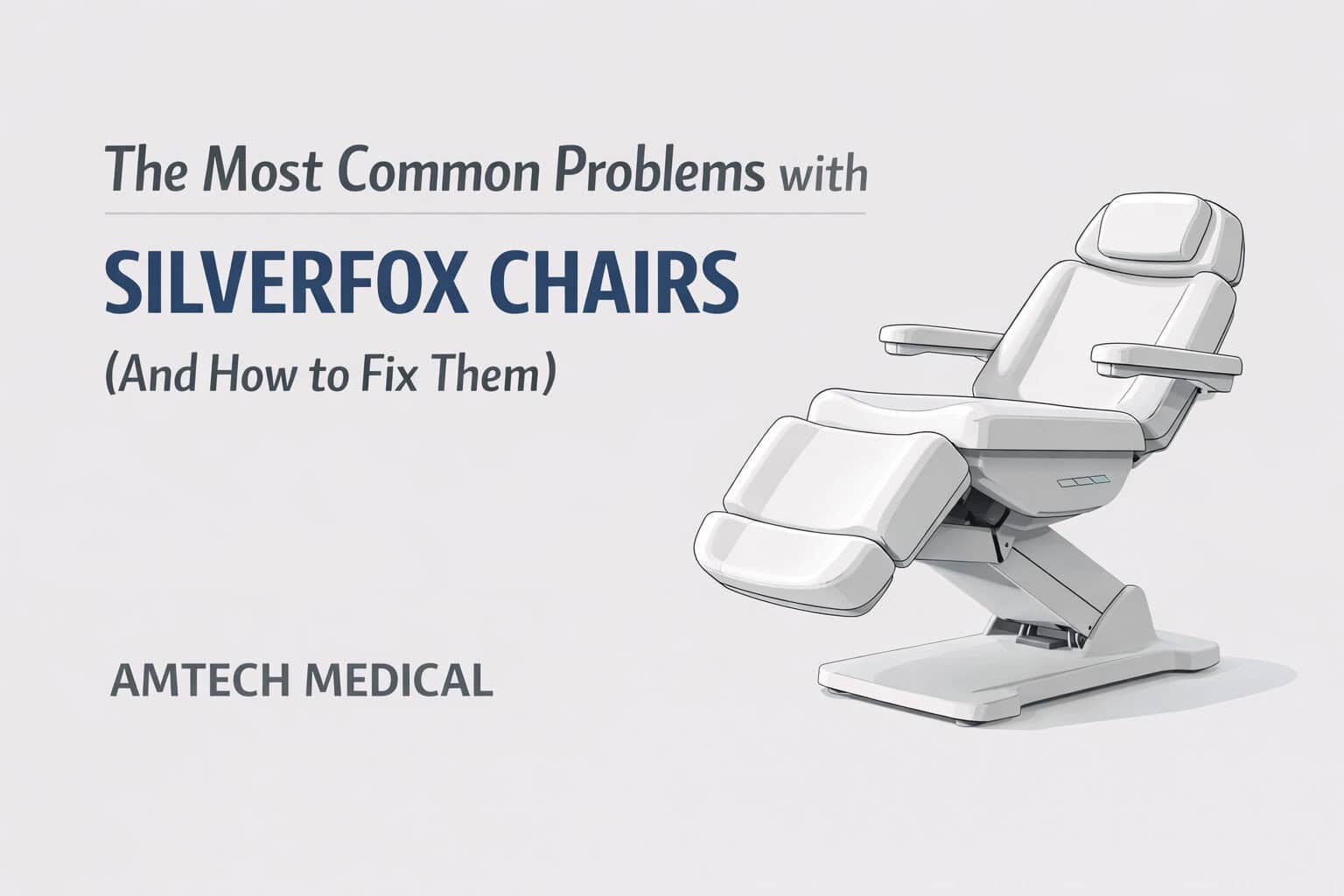
The Most Common Problems with Silverfox Chairs (And How to Fix Them)

The Most Common Problems with Silverfox Chairs (And How to Fix Them)

Silverfox procedure chairs are widely used in dermatology clinics, aesthetic practices, and medical spas due to their versatility, patient comfort, and affordability. These chairs provide reliable positioning support for a wide range of treatments, from laser procedures to examinations and cosmetic treatments.

While Silverfox chairs are generally dependable, their high usage volume means certain mechanical and structural components experience wear over time. Understanding these common failure points allows clinics to troubleshoot problems quickly, minimize downtime, and extend equipment lifespan.

Technician Insight from Amtech Medical

We spoke with Amtech Medical field service technician Daniel Silva about the most common Silverfox chair failures seen in real-world clinical environments. These issues are consistent across many models and typically involve actuators, armrest assemblies, and cosmetic structural components.

This guide explains the most common Silverfox chair problems, how to identify them, and when professional service is required.

Actuator Failure: Chair Will Not Move or Adjust

Actuator failure is one of the most common issues affecting Silverfox chairs. Actuators are responsible for controlling movement functions such as height adjustment, backrest reclining, and footrest positioning. When an actuator fails, the affected section of the chair becomes completely unresponsive.

Common symptoms of actuator failure include:
  • Backrest does not recline or return upright
  • Footrest does not raise or lower
  • Chair height remains fixed and will not adjust
  • No motor sound, clicking, or movement when pressing the remote
Technical Cause:

In most cases, the actuator itself has failed rather than the control board. Failed actuators typically show no mechanical response when activated. Electrical wear, internal motor failure, and long-term usage are the most common contributing factors.

Recommended Resolution

Actuator replacement requires proper diagnosis to confirm whether the actuator or control system is at fault. Most actuator failures require professional service and component replacement.

Silverfox Chair Actuator Repair Available

Contact Amtech Medical โ†’

Fast response โ€ข Nationwide service โ€ข Experienced equipment technicians

Broken or Loose Armrests

Armrest assemblies are one of the most frequent structural failure points on Silverfox chairs. Because patients often use armrests for support when getting on or off the chair, excessive force can damage internal mounting components.

Common symptoms include:
  • Armrest becomes loose or unstable
  • Armrest drops suddenly or will not hold position
  • Visible structural looseness or stripped mounting hardware
  • Armrest hangs or dangles freely
Technical Cause:

Silverfox armrests rely on mounting bolts and structural stops to maintain positioning. Excessive weight or repeated stress can strip threads or deform mounting points, resulting in loss of structural stability.

Depending on the severity, armrest repair may involve hardware replacement or full armrest assembly replacement.

Loose or Detached Plastic Covers

Silverfox chairs use protective plastic covers to conceal internal components and maintain a clean, professional appearance. These panels are typically secured using push-pin fasteners, which can loosen or fail over time.

Common signs include:
  • Plastic panels hanging or detached beneath the chair
  • Visible gaps in cosmetic trim or housing
  • Panels temporarily secured using tape
  • Loose or missing push-pin fasteners
Recommended Resolution:
  • Replace worn push-pin fasteners
  • Reattach loose plastic panels securely
  • Replace damaged plastic covers if necessary

While cosmetic issues do not typically affect chair functionality, maintaining structural integrity improves safety, durability, and professional appearance.

Footrest Extension Sensor Prevents Movement

Many Silverfox chairs include an extendable footrest designed to accommodate taller patients. This extension mechanism includes a built-in safety sensor that prevents footrest movement when the extension is not fully retracted. This safety feature protects internal mechanical components from damage during operation.

Common symptoms include:
  • Footrest does not move when using the remote
  • Other chair functions operate normally
  • Footrest extension visibly remains partially extended
  • No mechanical noise or actuator movement from footrest
Technical Cause:

The safety interlock sensor prevents actuator movement when the extension is not fully seated. This protects the actuator system and mechanical linkage from stress or misalignment damage.

Recommended Resolution

  • Fully retract the footrest extension until seated properly
  • Verify the extension mechanism is properly aligned
  • Test footrest operation after re-seating extension

This issue is typically resolved without service once the extension is fully seated.

Upholstery Wear, Cracking, and Cosmetic Damage

Silverfox chairs experience upholstery wear over time, particularly in high-volume practices where chairs are used continuously throughout the day. While this does not affect mechanical functionality, it can impact patient perception and overall clinic appearance.

Common signs of upholstery wear include:
  • Cracking or peeling on seat cushions or backrests
  • Discoloration or fading of upholstery surfaces
  • Tears forming near seams or high-stress areas
  • Visible cosmetic deterioration with continued usage
Resolution Options:
  • Replace individual upholstery panels
  • Install replacement upholstery kits
  • Perform professional reupholstery services
  • Replace chair if structural wear is extensive

Maintaining upholstery helps preserve both patient comfort and professional presentation.

Understanding Long-Term Reliability of Silverfox Chairs

Silverfox chairs are designed to provide affordable and practical positioning solutions for dermatology and aesthetic clinics. Their widespread use reflects their reliability, but certain components experience wear faster due to their lightweight construction and frequent use.

Most common long-term wear points include:
  • Actuator motor assemblies
  • Armrest mounting hardware
  • Plastic housing and cosmetic covers
  • Footrest extension sensors and linkage systems
  • Upholstery materials and protective coverings

These wear patterns are normal for frequently used clinical equipment and can be managed through routine maintenance and timely repairs.

Preventive Maintenance Best Practices for Silverfox Chairs

Routine preventive care significantly extends the lifespan of Silverfox chairs and reduces the likelihood of unexpected failures. Early detection of wear allows clinics to address issues before they affect operations.

Recommended preventive maintenance practices:
  • Avoid placing excessive weight on armrests
  • Inspect structural hardware regularly for looseness or wear
  • Replace worn push-pin fasteners as needed
  • Ensure footrest extensions are properly seated during use
  • Clean and maintain upholstery regularly
  • Schedule professional equipment inspections annually

Preventive maintenance reduces downtime, improves safety, and extends equipment service life.

Silverfox Chair Repair, Parts, and Service Support

Silverfox chairs provide dependable positioning and comfort for a wide range of treatments. While certain components experience wear over time, most issues can be resolved quickly through proper diagnosis and repair.

Understanding early warning signs and implementing preventive maintenance ensures reliable performance and minimizes disruption to your clinical workflow.

Need Silverfox Chair Repair or Replacement Parts?

Contact Amtech Medical โ†’

Fast response โ€ข Nationwide service โ€ข Experienced equipment technicians

The Most Common Problems with Tabletop Autoclaves (And How to Fix Them)

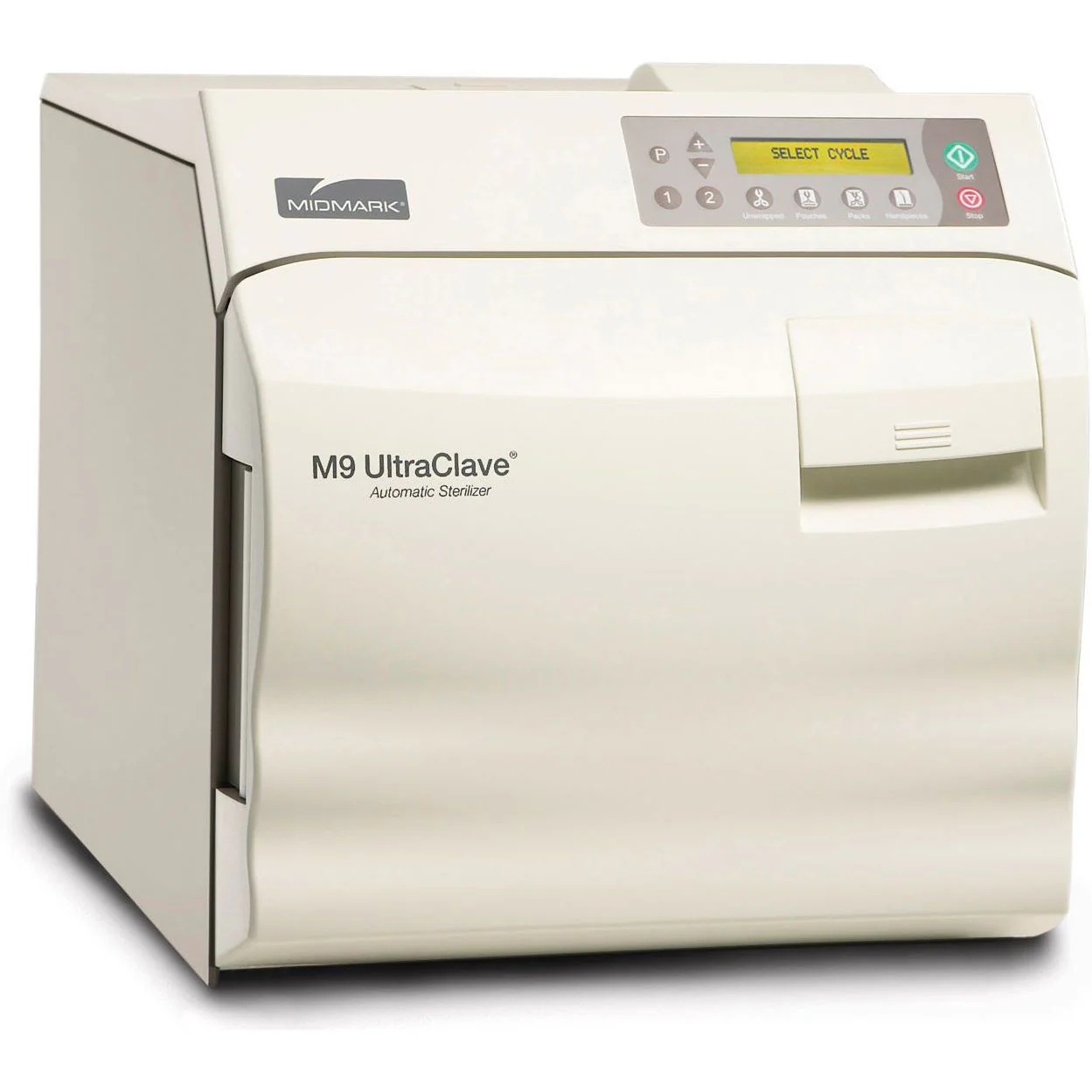
Automatic medical sterilizer for hospital and clinical use.

TabTabletop autoclaves are the backbone of sterilization for small medical offices, dermatology practices, dental clinics, and medspas. Compact yet powerful, they ensure instruments are sterilized safely, protecting both patients and providers.

But like any equipment, these autoclaves develop recurring issues โ€” usually from daily wear, skipped maintenance, or environmental factors like poor water quality. The good news is that many of these problems can be diagnosed quickly, and in some cases, fixed without waiting on a service call.

Below weโ€™ll walk through the most common autoclave problems, what causes them, and what to do next. Along the way, weโ€™ll include real-world scenarios to show how these issues play out in the field.


1. Autoclave Wonโ€™t Power On

Imagine this: a dermatology clinic is getting ready for back-to-back procedures, but the autoclave wonโ€™t even light up. The front desk is panicking, because without sterilized instruments, the dayโ€™s schedule is on the line.

Common Causes:

  • Loose power cable or faulty outlet
  • Tripped circuit breaker or blown fuse
  • Faulty door switch (some autoclaves wonโ€™t power unless the door is fully closed)

Fix:

  • Confirm the outlet works by testing another device.
  • Inspect the fuse or breaker and replace/reset as needed.
  • Check that the door is latched tightly โ€” on many tabletop units, an incomplete latch interrupts the power circuit.
  • If it still wonโ€™t start, the control board or wiring likely needs professional repair.

2. Chamber Wonโ€™t Pressurize

One of the most common calls we get is: โ€œThe cycle runs, but the autoclave never builds pressure.โ€ In one case, a medspa reported hearing faint hissing during every cycle โ€” sure enough, the door gasket had cracked, and steam was escaping instead of building pressure.

Causes:

  • Worn or cracked door gasket
  • Loose or unevenly latched door
  • Scale buildup around valves from using tap water instead of distilled
  • Leaky fittings or solenoid valves

Fix:

  • Replace door gaskets annually, or sooner if cracks or flattening appear.
  • Confirm the door closes evenly โ€” sometimes hinges loosen over time.
  • Clean valves and fittings.
  • Always use distilled water only to prevent scale buildup.

3. Sterilization Cycle Wonโ€™t Complete

A dental practice once reported their autoclave was aborting halfway through every cycle. After inspection, we found the drain filter was clogged with cotton fibers from gauze packs. Airflow was restricted, steam couldnโ€™t circulate, and cycles failed.

Causes:

  • Overloaded chamber (steam canโ€™t circulate)
  • Drain filter clogged
  • Faulty temperature or pressure sensors
  • Heating element wearing out

Fix:

  • Load instruments loosely, allowing space for steam.
  • Clean the drain filter weekly โ€” itโ€™s small but critical.
  • If problems persist, sensors or heaters may require replacement.

4. Wet Packs After a Cycle

Few things frustrate staff more than opening the door to find wet, dripping packs. Not only is it unsafe (moisture can harbor microbes), but it means re-running the cycle โ€” doubling sterilization time.

Causes:

  • Chamber overloaded
  • Improper wrapping material
  • Drain line partially clogged
  • Door gasket leaking steam at the wrong time

Fix:

  • Reduce load size and leave room between packs.
  • Only use wraps designed for autoclaves.
  • Inspect drain lines and clean if blocked.
  • Replace or lubricate the door gasket if leaking.

5. Strange Noises or Leaks

Another medspa complained about โ€œknockingโ€ sounds during cycles. After inspection, we found scale buildup inside the steam lines โ€” mineral deposits from using tap water. The fix was a thorough descaling and a reminder to always use distilled water.

Causes:

  • Solenoid valve beginning to fail
  • Loose or worn chamber gasket
  • Mineral buildup in chamber or tubing

Fix:

  • Replace worn seals and valves.
  • Perform regular descaling treatments (especially in hard-water areas).
  • Call for service if noises persist โ€” they can indicate valve timing issues.

6. Error Codes or โ€œService Requiredโ€

Modern tabletop autoclaves have error codes for safety. These can be intimidating, but often they point directly to the issue.

For example, an error might indicate a temperature sensor failure โ€” meaning the unit isnโ€™t sure how hot it actually is. In one dermatology office, a persistent error code turned out to be nothing more than a faulty door switch, replaced in under 30 minutes.

Common Codes Indicate:

  • Sensor failure (temp/pressure)
  • Electrical heating fault
  • Board communication error
  • Door/lid not sealed properly

Fix:

  • Try a full power cycle.
  • Refer to the user manual for code meaning.
  • Some fixes are user-friendly (gaskets, switches), but persistent codes often need a technician.

Preventive Care to Avoid Most Problems

In almost every scenario above, the problem could have been prevented with basic care.

  • Use distilled water only โ€” tap water = scale buildup.
  • Clean the drain filter weekly.
  • Check gaskets monthly and replace annually.
  • Avoid overloading to allow proper steam circulation.
  • Schedule yearly preventive maintenance to catch small issues before they shut you down.

Final Thoughts

Tabletop autoclaves are dependable workhorses, but theyโ€™re not invincible. From leaking gaskets to wet packs, most problems follow predictable patterns and can be solved with simple checks.

By knowing what to look for โ€” and addressing issues early โ€” you can keep your autoclave running smoothly, minimize downtime, and protect patient safety.

And when the fix goes beyond basic troubleshooting? Thatโ€™s where professional technicians step in. Having a trusted service partner means peace of mind that your autoclave is always ready when you need it most.


Looking for a Replacement?

Sometimes, repairing an older tabletop autoclave just isnโ€™t cost-effective. If the heating element, control board, or chamber itself is failing, the repair costs may approach the price of a new unit.

Thatโ€™s where Amtech Medicalโ€™s refurbished autoclaves come in.

We stock a range of used, professionally reconditioned autoclaves that are:

  • Fully serviced and tested by our technicians
  • Backed by warranty for peace of mind
  • More affordable than new units โ€” without sacrificing reliability
  • Available in multiple models and sizes to fit the needs of dermatology, dental, histology, and medspa practices

Choosing a refurbished autoclave from Amtech Medical gives you the confidence of a fully inspected and serviced machine at a fraction of the cost of new. Itโ€™s the perfect option for practices that need dependable sterilization without stretching their budget.

๐Ÿ‘‰ Explore our current inventory of used autoclaves on our website or reach out to our team for availability.


Professional Autoclave Service & Support

While some issues with tabletop autoclaves can be fixed in-house, others require a trained technician. Electrical failures, sensor replacements, valve timing issues, and control board repairs should always be handled by professionals to avoid bigger (and more expensive) problems down the line.

At Amtech Medical, we provide:

  • Nationwide Service Coverage โ€“ Our technicians travel to support practices across the U.S.
  • Preventive Maintenance Programs โ€“ Keep your autoclave reliable with scheduled inspections and cleanings.
  • Emergency Repairs โ€“ Fast turnaround when your sterilizer goes down unexpectedly.
  • Multi-Device Support โ€“ We service autoclaves alongside your other dermatology, lab, and general medical equipment.

Our goal is simple: minimize downtime and keep your practice running smoothly. With decades of experience across autoclaves, lasers, and diagnostic equipment, our team has the expertise to troubleshoot quickly and get your sterilizer back in operation.

๐Ÿ‘‰ Contact us today to schedule preventive maintenance or request an urgent repair.


Amtech Medical Now Offers the Full Silverfox Catalog

Medical examination room with advanced dental or medical chair and equipment for patient care, modern healthcare setting.

Amtech Medical is excited to announce that we now carry the entire Silverfox catalog of spa, aesthetic, and wellness equipment. Known worldwide for their stylish designs, reliable performance, and value-driven solutions, Silverfox has become a go-to brand for spas, dermatology clinics, estheticians, and wellness centers.

With this expansion, our customers now have access to a comprehensive range of spa furniture, treatment tables, and professional-grade equipment โ€” all in one place.


About Silverfox

Silverfox specializes in spa and esthetician equipment, designed to balance form and function. Their products combine modern aesthetics, durable construction, and practical features that support both professionals and clients.

Trusted globally, Silverfox is recognized for:

  • Variety of Options: From compact, portable devices to full-featured treatment beds.
  • Sleek European-Inspired Design: Stylish yet functional, perfect for both luxury spas and medical aesthetics clinics.
  • Affordable Quality: Professional-grade equipment without the inflated costs of some competitors.
  • Reliability: Built for daily use in busy professional environments.

Whatโ€™s in the Silverfox Catalog?

The Silverfox catalog covers nearly every category of spa and aesthetics equipment. Hereโ€™s a look at the highlights:

1. Spa & Treatment Furniture

  • Facial Beds & Treatment Tables: Adjustable beds with motorized or manual positioning, available in multiple colors (white, grey, black).
  • Multi-Function Treatment Chairs: Ideal for facials, massage, waxing, and body treatments.
  • Stools & Seating: Ergonomic stools for technicians and assistants, designed for long work sessions.
  • Spa Carts & Storage: Rolling trolleys with drawers, trays, and shelves to keep equipment organized.

2. Professional Spa Equipment

  • Facial Steamers: Essential for deep cleansing and hydration treatments, with models ranging from compact to deluxe.
  • High-Frequency Devices: Portable units used for acne treatments, circulation, and skin rejuvenation.
  • Rotary Brush Units: Popular for exfoliation and deep-cleaning facials.
  • Magnifying Lamps & Lamps with Steamers: Essential for detailed skin analysis and treatment accuracy.
  • Paraffin Warmers & Other Specialty Devices: Designed to enhance client experience and expand treatment menus.
  • Weight bases and replacement parts for steamers
  • Magnifying lamp stands and attachments
  • Heat therapy accessories for relaxation and recovery

Why Choose Silverfox?

Silverfox products are designed to meet the needs of both luxury spas and everyday treatment rooms. What sets them apart:

  • Flexibility: A wide range of products suitable for skincare professionals, medspas, massage therapists, and wellness centers.
  • Customization: Multiple color and material options to match your practice or spa design.
  • Durability for High-Use Environments: Whether itโ€™s a spa chair, steamer, or stool, each product is engineered to withstand daily use.
  • Ease of Use: Many devices are compact, portable, and simple to operate, making them ideal for busy practitioners.

While the full catalog includes dozens of options, some products stand out as consistent favorites among professionals:


Final Thoughts

By adding the full Silverfox catalog to our offerings, Amtech Medical is expanding into the spa and aesthetics industry with a complete range of reliable, professional-grade equipment. Whether youโ€™re setting up a brand-new spa or upgrading your current treatment room, Silverfox products deliver style, comfort, and durability at an accessible price point.

๐Ÿ‘‰ Browse the Silverfox catalog today on our website, or contact our team for recommendations on outfitting your spa, wellness center, or aesthetic clinic.

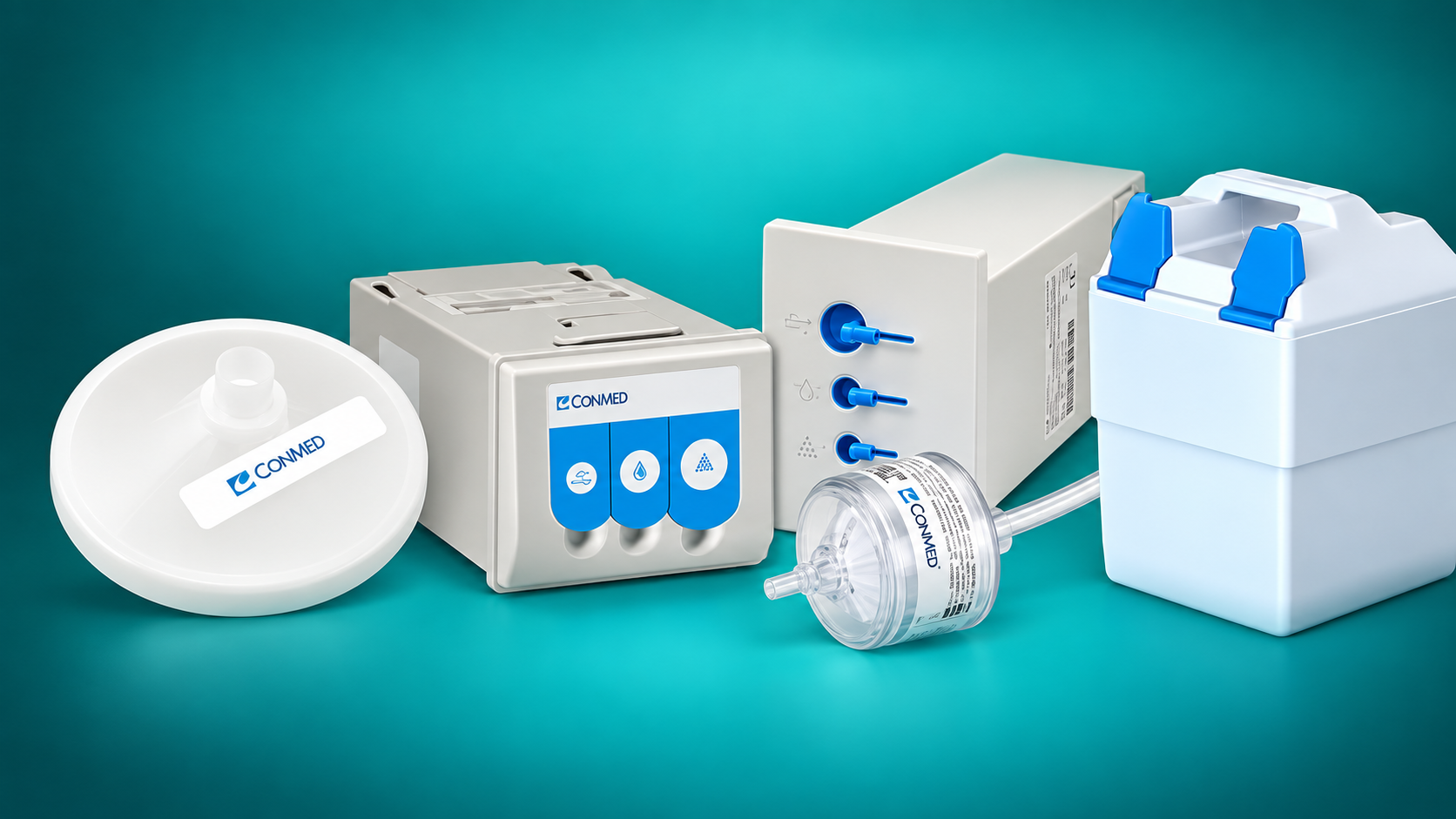
The Complete Guide to CONMED (Buffalo Filter) Smoke Evacuators & Their Filters

By: Tyler Harper

CONMED Smoke Evacuator Buyerโ€™s Guide

Which CONMED (Buffalo Filter) smoke evacuator should you actually buy?

The technical specifications only matter if you know what they mean in practice. This guide compares the ViroVac, VisiClear, PlumeSafe X5, Porta PlumeSafe 604, and legacy PlumeSafe systems by real-world use case, price, workflow, filtration, filter cost, and the type of facility each one makes sense for.

The short version: For most physician offices and dermatology practices, start with ViroVac. For a hospital or full operating room, look at VisiClear. If the facility wants CONMEDโ€™s newest flagship platform and maximum listed filtration performance, look at PlumeSafe X5. The Porta PlumeSafe 604 makes the most sense when portability, larger tubing, or higher airflow are specifically important.

Jump to: 60-Second Answer ยท Comparison ยท Head-to-Head ยท Specs Explained ยท System Details ยท Filters ยท Technical Specs ยท FAQs

Which CONMED Smoke Evacuator Should I Buy?

If you do not want to spend ten minutes comparing airflow, micron ratings, filter ports, and noise levels, start here.

Best Value / Best for Most Offices

ViroVacยฎ

$2,163.08

The easiest recommendation for most dermatology offices, physician procedure rooms, outpatient centers, and smaller ASCs.

Why: Compact, simple, quiet, flexible 3-port filter, and filter tracking with up to 35 hours of filter life.

Best Premium OR Choice

VisiClearยฎ

$4,993.89โ€“$5,215.89

Best suited to hospital ORs, surgical centers, and facilities where workflow, quiet operation, and procedural flexibility matter.

Why: Three dedicated procedure modes, color touchscreen, Whisper Technology, SafePort, occlusion warning, and automatic filter-life tracking.

Best Flagship / Highest Performance

PlumeSafeยฎ X5โ„ข

Request Pricing

The premium choice for modern operating rooms that want CONMEDโ€™s newest smoke-management platform.

Why: 5-stage filtration, 99.9997% efficiency at 0.01โ€“0.2 ยตm, enhanced VOC capture, dual 7/8โ€ณ ports, and three procedure modes.

Best Portable / Higher-Flow Option

Porta PlumeSafeยฎ 604

$2,219.99

Makes the most sense for veterinary, non-acute, portable, or larger-tubing applications.

Why: Lightweight portable design, 48 CFM with 1-1/4โ€ณ tubing, 36 CFM with 7/8โ€ณ tubing, and compatibility with longer-life XLL filters.

Prices shown reflect current Amtech Medical pricing at the time this guide was updated and may change. Always check the linked product page for current pricing and availability.

Side-by-Side Buyer Comparison

This table focuses on what actually changes the buying decision rather than just listing specifications.

System Best Fit Price Main Reason to Buy It What Youโ€™re Paying Extra For Probably Overkill If…
ViroVac Dermatology, physician offices, outpatient centers, smaller ASCs $2,163.08 Best balance of price, size, filter life, and simplicity You really are not โ€” this is the value-oriented workhorse You need a full acute-care OR workflow with dedicated procedure modes and touchscreen controls
VisiClear Hospital ORs, surgical centers, high-use procedural environments $4,993.89โ€“$5,215.89 Quiet, polished OR workflow with dedicated modes and a touchscreen Whisper Technology, procedure modes, SafePort, occlusion warning, color touchscreen You are running a typical small office and simply need reliable smoke evacuation
PlumeSafe X5 Modern ORs prioritizing CONMEDโ€™s newest technology and filtration performance Request Pricing CONMEDโ€™s newest flagship and highest listed filtration performance 5-stage filter, enhanced VOC capture, dual-pencil connection, newer platform Your facility does not need flagship OR features or the highest listed filtration spec
Porta PlumeSafe 604 Veterinary, non-acute, portable or larger-tubing applications $2,219.99 Portable unit with strong airflow and support for larger tubing 48 CFM capability with 1-1/4โ€ณ tubing and XLL filter options You only need a compact everyday office evacuator โ€” ViroVac is usually easier to justify

The Comparisons That Actually Matter

The biggest source of confusion is that several systems share similar filtration and long filter-life claims. The real differences are workflow, intended setting, control features, airflow, and how much you are willing to spend.

ViroVac vs. VisiClear: Why Is VisiClear More Than Twice the Price?

This is probably the most important comparison in the entire lineup. Both systems can use long-life filters and both can handle common tubing sizes, so the higher VisiClear price is not simply buying you โ€œbetter filtration.โ€

Decision Point ViroVac VisiClear
Best environment Office / clinic / outpatient Hospital / acute-care OR
Current Amtech price $2,163.08 $4,993.89โ€“$5,215.89
Controls Simple, straightforward controls Color touchscreen with dedicated procedure modes
Procedure modes Three motor speeds Open tubing, electrosurgical pencil, and laparoscopic modes
Noise emphasis Quiet operation Whisper Technology; under 55 dBA at maximum power
Filter tracking Yes Yes, automatically adjusted by selected procedure mode
Plain-English summary Workhorse / value choice Premium OR workflow choice

Bottom line: A typical dermatology office should not assume it needs VisiClear just because it costs more. VisiClear earns its higher price primarily through OR-oriented workflow, procedure modes, touchscreen controls, quieter operation, and additional safety/interface features. If those are not important to your practice, ViroVac is usually the more rational buy.

VisiClear vs. PlumeSafe X5: Premium vs. Flagship

These are both OR-oriented systems, but they are positioned differently. VisiClear is the established premium platform focused on quiet, flexible workflow. X5 is CONMEDโ€™s newer flagship focused on next-generation filtration and smoke-management performance.

  • Choose VisiClear if your priority is a proven, ultra-quiet OR system with dedicated procedure modes, a touchscreen, SafePort, and long filter life.
  • Choose X5 if your facility specifically wants CONMEDโ€™s newest system, 5-stage filtration, higher listed particulate filtration performance, enhanced VOC capture, and dual 7/8โ€ณ ports for two smoke pencils.

Plain English: VisiClear is the premium OR machine. X5 is the new flagship. The reason to move from VisiClear to X5 should be the newer filtration and smoke-management platform โ€” not simply because X5 has a higher model number.

ViroVac vs. Porta PlumeSafe 604: Similar Price, Different Job

These two systems are priced very closely, so price alone does not explain the difference.

  • ViroVac is the better default for physician offices because it is compact, simple, and built around a versatile 3-port filter with up to 35 hours of tracked filter life.
  • Porta PlumeSafe 604 becomes more attractive when the application specifically benefits from greater airflow, 1-1/4โ€ณ tubing, portability, or the XLL filter family.

Bottom line: If you cannot identify a specific reason you need the Porta 604โ€™s airflow or larger tubing configuration, ViroVac is generally the easier office purchase to justify.

What Do the Technical Specs Actually Mean?

Specifications such as CFM, dBA, microns, and filter hours are useful only when they are translated into something practical.

Airflow

CFM

CFM means cubic feet per minute. It tells you how much air the evacuator can move.

Higher CFM is useful when using larger tubing or when the smoke pickup point is farther from the source. More CFM does not automatically mean a system is better for every procedure.

Noise

dBA

dBA is a measure of perceived sound level.

Lower numbers mean quieter operation. This matters most in smaller rooms and operating rooms where the unit may run for long periods. VisiClear is specifically designed around ultra-quiet operation.

Particle Size

Micron Rating

A micron rating tells you the particle-size range used for the filtration performance claim.

Smaller numbers mean smaller particles. Legacy/ViroSafe filtration is listed at 99.999% for 0.1โ€“0.2 ยตm particles, while X5 is listed at 99.9997% for 0.01โ€“0.2 ยตm.

Consumable Life

Filter Hours

Filter hours refer to accumulated active suction time, not simply time since installation.

Also note that maximum filter life can depend on the mode or flow setting. For example, VisiClear is rated at 35 hours in laparoscopic mode, 21 hours in electrosurgical pencil mode, and 18 hours in open-tubing mode.

Connections

Port Size

Port size determines which tubing and accessories connect directly to the filter.

A 1/4โ€ณ or 3/8โ€ณ connection is useful for smaller tubing. A 7/8โ€ณ port is common for smoke tubing and pencils. The Porta 604 can also use 1-1/4โ€ณ tubing when higher flow is needed.

Odor & Gases

Activated Carbon / VOC Capture

Particulate filtration is only one part of surgical smoke management.

Activated carbon helps address odors and gaseous contaminants. CONMED specifically highlights the X5 filterโ€™s ability to capture high rates of harmful VOCs found in surgical smoke.

Detailed Guide to Each System

Once you know the role each system fills, the individual specifications become much easier to understand.

Workhorse / Value Choice

ViroVacยฎ

$2,163.08

Who it is for: Dermatology practices, physician offices, laser and electrosurgical procedure rooms, outpatient centers, and smaller ASCs.

What makes it different: ViroVac is not trying to be the most sophisticated machine in the lineup. Its advantage is that it combines the features most offices actually need โ€” compact size, simple operation, a flexible 3-port filter, and automatic filter-life tracking โ€” at roughly half the current price of VisiClear.

Features that matter

  • Compact shelf/counter design
  • Three motor speeds
  • Covered 3-port filter design
  • Supports 1/4โ€ณ, 3/8โ€ณ, and 7/8โ€ณ tubing
  • Automatic filter-life tracking
  • Variable filter life up to 35 hours depending on flow setting
  • Compatible with EZLink automatic activation

Reasons to choose ViroVac

  • You want the most sensible balance between purchase price and capability.
  • You do not need a large touchscreen or specialized OR procedure presets.
  • Your unit needs to fit on a counter, shelf, or compact cart.
  • You want long-life filters and automatic usage tracking.

Reasons to move up to another system

  • Your OR staff would benefit from dedicated laparoscopic, pencil, and open-tubing modes.
  • Ultra-low operating noise is a major purchasing priority.
  • You want CONMEDโ€™s newest 5-stage filtration platform.
  • You specifically need the Porta 604โ€™s larger 1-1/4โ€ณ tubing/high-flow setup.

Replacement filter: ViroVac VS353 Series โ€” currently $336.95โ€“$1,298.90 depending on quantity.

View ViroVac on Amtech Medical โ†’

Premium OR Choice

VisiClearยฎ

$4,993.89โ€“$5,215.89

Who it is for: Acute-care operating rooms, surgical centers, and higher-use procedure environments where workflow and sound control matter as much as basic smoke capture.

What makes it different: VisiClear is about OR workflow. The major upgrade over ViroVac is not simply a filtration number. You get a color touchscreen, Whisper Technology, an occlusion warning, SafePort, and three programmable procedure modes.

The three procedure modes

  • Laparoscopic: Up to 35 hours of filter life.
  • Electrosurgical pencil: Up to 21 hours of filter life.
  • Open tubing: Up to 18 hours of filter life.

This is a good example of why โ€œup to 35 hoursโ€ needs context: the machine automatically adjusts the filter-life calculation based on the mode being used.

Features that matter

  • Whisper Technology for ultra-quiet operation
  • Less than 55 dBA at maximum power
  • Three one-touch procedure modes
  • Color touchscreen operable with a gloved hand
  • Occlusion warning
  • SafePort sliding port closure
  • 30 CFM using 7/8โ€ณ tubing
  • Automatic filter-life tracking

Reasons to choose VisiClear

  • You are outfitting a hospital or higher-volume OR environment.
  • Quiet operation is important.
  • You want a polished interface and dedicated procedure presets.
  • Staff regularly switch between open tubing, smoke pencils, and laparoscopic use.

Reasons ViroVac may still be the better buy

  • Your practice mainly performs routine office-based laser or electrosurgical procedures.
  • You do not need a touchscreen or specialized procedure modes.
  • Saving roughly $2,800โ€“$3,000 on the initial purchase is more valuable than the added OR features.

Replacement filter: VisiClear VS135 Series โ€” currently $365.21โ€“$1,364.68 depending on quantity.

View VisiClear on Amtech Medical โ†’

Newest Flagship

PlumeSafeยฎ X5โ„ข

Request Pricing

Who it is for: Modern operating rooms and health systems that want CONMEDโ€™s newest smoke-management platform and highest listed filtration performance.

What makes it different: X5 is where the filtration technology meaningfully changes. CONMED positions it as its most powerful smoke evacuator and highlights its first-of-its-kind 5-stage filter, enhanced VOC capture, and 99.9997% filtration efficiency for 0.01โ€“0.2 ยตm particles.

Features that matter

  • 5-stage PX5 filter
  • 99.9997% filtration efficiency for 0.01โ€“0.2 ยตm particles
  • Enhanced capture of harmful VOCs found in surgical smoke
  • Dual 7/8โ€ณ ports for two smoke pencils without additional accessories
  • Open tubing, pencil, and laparoscopic modes
  • Touch-sensitive display

Reasons to choose X5

  • Your facility wants CONMEDโ€™s current flagship platform.
  • The highest listed particulate filtration performance is important to your purchasing criteria.
  • VOC capture is a major consideration.
  • You want dual 7/8โ€ณ ports for two smoke pencils.

Reasons another model may be sufficient

  • You run a physician office where ViroVac already meets the workflow.
  • You primarily need a premium, quiet OR system and do not specifically need X5โ€™s newer filtration platform.
  • Upfront cost is a major deciding factor.

Compatible filters: PX5-135-22 (1/ea) and PX5-1354-22 (4/case).

View PlumeSafe X5 specifications from CONMED โ†’

Portable / Higher-Flow Choice

Porta PlumeSafeยฎ 604

$2,219.99

Who it is for: Veterinary facilities, non-acute settings, portable applications, and users that specifically need larger tubing or stronger open-tubing airflow.

What makes it different: At roughly the same purchase price as ViroVac, the Porta 604 exists for a different reason. It provides 48 CFM using 1-1/4โ€ณ tubing and 36 CFM using 7/8โ€ณ tubing, while remaining portable enough for tabletop or cart use.

Features that matter

  • 48 CFM with 1-1/4โ€ณ tubing
  • 36 CFM with 7/8โ€ณ tubing
  • Under 59 dBA at maximum power
  • Filter-life tracking
  • Portable design
  • Compatible with ViroSafe 6-hour and XLL filter options

Reasons to choose Porta 604

  • You need 1-1/4โ€ณ tubing.
  • You want stronger open-tubing airflow.
  • You need a system that moves easily between locations.
  • Your workflow already uses the compatible ViroSafe/XLL filter family.

Reasons to choose ViroVac instead

  • You are a typical physician office without a special high-flow requirement.
  • You value a simpler 3-port filter setup and longer maximum filter life.

View Porta PlumeSafe 604 on Amtech Medical โ†’

Filter Compatibility, Life, and Replacement Cost

The machine purchase is only part of the cost. Filter price and filter life affect the ongoing cost of ownership.

System Filter Family Part Numbers Rated Life Current Amtech Price Practical Takeaway
ViroVac ViroSafe ViroVac 3-port VS353 / VS35302 / VS35304 Up to 35 hours; actual life varies with flow setting $336.95โ€“$1,298.90 by quantity Strong value for routine office use; long life helps reduce change-outs
VisiClear ViroSafe VisiClear 3-port VS135 / VS1352 / VS1354 35 hrs laparoscopic / 21 hrs pencil / 18 hrs open tubing $365.21โ€“$1,364.68 by quantity Filter usage is tied to procedure mode, so โ€œ35 hoursโ€ is not the rating for every use case
PlumeSafe X5 PX5 5-stage PX5-135-22 / PX5-1354-22 System-tracked Request current pricing Buy this filter for the X5 platform โ€” not as an interchangeable upgrade for older systems
Porta 604 / Legacy PlumeSafe ViroSafe 6-hour / XLL depending on unit VS06002 / VS06004 / SING_VSXLL / VSXLL02 / VSXLL04 6 hours or up to 18 hours depending on filter $204.64โ€“$699.29 depending on model Confirm the exact system and cartridge before ordering โ€” this family contains multiple configurations

Important: Filter-life ratings are based on active suction time and may vary with the selected mode or flow setting. The filter-life timer is a usage measure; it should not be interpreted as a direct measurement of real-time filter performance.

What About PlumeSafe Turbo, Whisper, and Auto-Sense?

These systems still matter because many facilities already own them, but they should be thought of primarily as the legacy Buffalo Filter ecosystem rather than the first place a new buyer should start.

The PlumeSafe Auto-Sense is currently listed by Amtech Medical at $4,550.99. Its key differentiator is automatic activation that synchronizes smoke evacuation with the energy device.

When a legacy PlumeSafe still makes sense:

  • You already own the system and are maintaining a standardized fleet.
  • Your staff is already trained on it.
  • You need replacement filters or accessories rather than a new platform.
  • You specifically value Auto-Sense operation and do not need to migrate to VisiClear or X5.

Replacement filter family: ViroSafe filters.

View PlumeSafe Auto-Sense on Amtech Medical โ†’

Technical Specifications โ€” With Context

Once the buying decision is clear, these specifications can help confirm that the system fits the room, tubing, and workflow.

Model Key Specs What That Means
VisiClear VC120 / VC220 30 CFM with 7/8โ€ณ tubing; <43 dBA minimum; <55 dBA maximum; 7.1โ€ณ H ร— 13.9โ€ณ W ร— 16.1โ€ณ D A compact, stackable OR unit with a strong emphasis on low noise and controlled procedure-specific airflow
ViroVac VV120 / VV220 Compact shelf design; 3 motor speeds; 3-port filter; up to 35-hour filter life Designed to be easy to place, easy to use, and economical for office/outpatient workflows
PlumeSafe X5 PX5-120 / PX5-220 5-stage filter; 99.9997% at 0.01โ€“0.2 ยตm; dual 7/8โ€ณ ports; three procedure modes CONMEDโ€™s flagship platform for facilities prioritizing newest-generation filtration and smoke-management performance
Porta PlumeSafe 604 48 CFM with 1-1/4โ€ณ tubing; 36 CFM with 7/8โ€ณ tubing; <59 dBA; portable 22 lb with filter installed Best understood as a portable higher-flow system rather than simply another office evacuator

Simple Decision Flow

01

Are You a Physician Office?

Start with ViroVac. Move away from it only if you can identify a feature your workflow actually needs.

02

Are You Outfitting an OR?

Compare VisiClear vs. X5. VisiClear is the premium workflow choice; X5 is the new flagship filtration platform.

03

Need Larger Tubing or More Airflow?

Look closely at the Porta PlumeSafe 604 and its 1-1/4โ€ณ / 48 CFM capability.

04

Already Own a Legacy Unit?

Maintain the system with the correct ViroSafe filter family unless there is a clear reason to upgrade the platform.

Frequently Asked Questions

What is the best CONMED smoke evacuator for a dermatology office?

For most dermatology and physician offices, ViroVac is the best starting point. It is substantially less expensive than VisiClear, compact enough for treatment rooms, supports multiple tubing sizes, and provides automatic filter tracking with up to 35 hours of filter life depending on flow setting.

Why does VisiClear cost so much more than ViroVac?

The extra money primarily buys OR-oriented workflow features: Whisper Technology, a color touchscreen, dedicated laparoscopic/open tubing/pencil modes, SafePort, an occlusion warning, and a more sophisticated user interface. It is not simply paying for a longer filter life.

Is PlumeSafe X5 automatically the best system?

It is CONMEDโ€™s newest flagship and has the highest listed filtration specification in this group, but that does not mean every office needs it. A physician office may get better value from ViroVac, while VisiClear may still be a strong fit for an OR focused on quiet workflow and procedure presets.

What does a 35-hour filter actually mean?

It refers to accumulated active suction time, not 35 hours from the moment the filter is installed. Maximum life can also depend on the selected flow or procedure mode.

Does higher CFM mean better smoke evacuation?

Not automatically. Higher CFM means more airflow and can be useful with larger tubing or open suction setups. For at-source capture using a smoke pencil, total airflow is only one part of the system design.

Can I use the same filter in ViroVac and VisiClear?

No. Even though both are 3-port ViroSafe-style filters, they are designed for different evacuators. ViroVac uses the VS353 Series, while VisiClear uses the VS135 Series.

When should I consider the Porta PlumeSafe 604 instead of ViroVac?

Choose the Porta 604 when you specifically need its higher airflow, 1-1/4โ€ณ tubing capability, portability, or compatible XLL filter setup. If you do not need those features, ViroVac is generally the simpler office-oriented choice.

The Most Common Problems with Leica Cryostats (And How to Fix Them)

Common Leica Cryostat Problems and How to Fix Them

Leica Biosystems is a German manufacturer globally recognized for producing high-quality histology equipment, microscopes, and laboratory imaging systems. Among their most respected products are Leica cryostats, which are widely considered the industry gold standard for frozen sectioning in histology and pathology laboratories.

Leica cryostats are known for their durability, precision engineering, and user-friendly design. Many laboratories rely on them for years of consistent performance, and both technicians and service engineers frequently praise their reliability. However, like any precision mechanical system, cryostats can develop issues over time due to wear, improper adjustment, or environmental factors.

Why Cryostat Performance Matters

Consistent cryostat performance is essential for producing high-quality frozen sections. Mechanical instability, improper temperature control, or blade holder issues can result in uneven sections, tissue damage, or diagnostic delays. Understanding common problems and their causes helps laboratories maintain reliable operation and avoid unnecessary downtime.

Below, weโ€™ll cover the most common Leica cryostat problems, explain their likely causes, and provide practical troubleshooting steps to restore proper operation.

Inconsistent Cutting (Thick and Thin Sections)

One of the most common Leica cryostat issues is inconsistent section thickness. This often appears as alternating thick and thin sections, ridges, or chatter patterns in the tissue. These irregularities can interfere with accurate histological analysis and may require technicians to repeat sectioning, wasting valuable specimen material.

Common symptoms include:
  • Uneven section thickness
  • Alternating thick and thin bands in tissue sections
  • Visible ridges or chatter patterns
  • Reduced sectioning precision and diagnostic clarity

Likely Causes

Inconsistent sectioning is typically caused by instability within the blade holder assembly or improper blade positioning. Even minor looseness or misalignment can significantly impact cutting performance.

Most common mechanical causes include:
  • Loose locking levers on the blade holder
  • Blade holder not securely mounted to the microtome base
  • Misaligned front and rear pressure plates
  • Worn, weakened, or warped tension springs
  • Improper blade angle adjustment

Recommended Troubleshooting Steps

  • Check locking levers: Confirm all blade holder locking levers are fully tightened. Even slight movement can cause inconsistent cuts.
  • Inspect blade holder mounting: Ensure the blade holder is firmly seated on the microtome base without any play.
  • Verify pressure plate alignment: Front and rear pressure plates must apply even tension across the blade.
  • Examine tension springs: Replace worn or weakened springs that may reduce blade stability.
  • Adjust blade angle: Leica typically recommends blade angles between 5ยฐ and 10ยฐ. Adjust gradually until sectioning improves.

Cryostat Service and Repair Available Nationwide

Contact Amtech Medical โ†’

Fast response โ€ข Nationwide service โ€ข Leica cryostat specialists

If these adjustments do not resolve the issue, the problem may involve internal microtome components such as the cam system, bearings, or specimen advance mechanism. These components require professional inspection and repair.

Cryostat Defrosting During Active Lab Hours

Unexpected cryostat defrost cycles during working hours can disrupt laboratory workflow and delay specimen processing. This issue is usually related to incorrect defrost scheduling rather than mechanical failure.

Most Common Cause

Improper defrost timer configuration

Cryostats use scheduled defrost cycles to prevent ice buildup. If the defrost timer is set incorrectly, the system may enter defrost mode during active laboratory hours.

Recommended Solution

  • Verify the cryostat internal clock is accurate
  • Schedule defrost cycles during non-operational hours (typically midnight to early morning)
  • Ensure defrost timing aligns with laboratory workflow
  • Allow sufficient defrost duration (typically 60โ€“90 minutes)

If defrost cycles continue to occur at incorrect times despite proper scheduling, the defrost valve or control system may require professional service.

Object Head Not Advancing

If the cryostat object head fails to advance or retract properly, sectioning becomes impossible. This issue may present as unresponsive advance buttons, lack of movement when rotating the handwheel, or audible motor noise without actual movement.

Common symptoms include:
  • No response when pressing advance or retract buttons
  • Automatic advance feature not functioning
  • Motor noise without mechanical movement
  • Object head stuck in fixed position

Likely Causes

Common causes include:
  • Electronic failure such as motor malfunction or wiring issues
  • Ice buildup locking the micrometer advance mechanism
  • Mechanical obstruction within the micrometer drive system

Recommended Troubleshooting Steps

  • Perform a full defrost: Power off the cryostat, open the chamber window, and allow the unit to warm to room temperature for 24โ€“48 hours to fully eliminate ice buildup.
  • Ensure complete dryness: Restart the system only after all internal condensation has evaporated.
  • Attempt manual advance: Set micrometer advance to maximum (50โ€“60 microns) and rotate the handwheel to break minor ice obstructions.

Professional Leica Cryostat Repair Available

Contact Amtech Medical โ†’

Fast response โ€ข Nationwide service โ€ข Leica cryostat specialists

If the object head remains stuck after full defrosting, the micrometer drive system or motor assembly may require professional repair or replacement.

Specimen Splintering During Sectioning (Specimen Too Cold)

Specimen splintering occurs when frozen tissue becomes excessively brittle, causing sections to fracture or fragment during cutting. This is typically caused by chamber temperatures set below recommended operating levels.

Root Cause

Excessively low chamber temperature

Temperatures below Leicaโ€™s recommended range (typically around โ€“23ยฐC for Mohs applications) cause tissue to become brittle and prone to fragmentation during sectioning.

Recommended Solution

  • Warm the specimen slightly: Gentle warming using body heat or brief exposure to ambient air can improve sectioning consistency.
  • Adjust chamber temperature: Leica typically recommends โ€“23ยฐC for optimal Mohs sectioning performance.
  • Avoid excessive cooling: Lower temperatures may accelerate freezing but can significantly reduce section quality.

Maintaining proper chamber temperature ensures consistent section quality while preserving specimen integrity.

Specimen Mushing During Sectioning (Specimen Too Warm)

Specimen mushing occurs when tissue is insufficiently frozen, resulting in compression, distortion, or tearing during sectioning. This typically indicates inadequate specimen cooling or insufficient chamber temperature.

Root Causes

Insufficient freezing or chamber cooling
  • Specimen not fully frozen prior to sectioning
  • Chamber temperature above recommended range
  • Reduced refrigeration system performance

Recommended Solution

  • Use the heat extractor block: Apply for approximately 10 minutes prior to sectioning for uniform freezing.
  • Verify chamber temperature: Ensure chamber temperature is below โ€“21ยฐC before sectioning.
  • Allow adequate cooling time: Ensure specimens reach full equilibrium temperature.

Cryostat Cooling System Service Available

Contact Amtech Medical โ†’

Fast response โ€ข Nationwide service โ€ข Leica cryostat specialists

If the cryostat cannot maintain proper cooling despite adjustments, the refrigeration system, temperature sensors, or compressor may require professional service.

Cryostat Not Cooling Down

If a Leica cryostat fails to cool down properly, the chamber will remain warm and unusable for frozen sectioning. In some cases, the compressor may not engage at all, preventing the system from reaching its target temperature.

Common symptoms include:
  • Chamber temperature remains above set point
  • Compressor does not engage
  • No audible compressor operation
  • System unable to maintain cooling

Possible Causes and Troubleshooting

Several issues can prevent proper cooling, ranging from minor system errors to refrigeration component failure.

Error Codes and System Protection

Error codes such as E02, E20, E21, or E22 often indicate chamber moisture, temperature sensor issues, or system protection shutdown.

In many cases, simply acknowledging the error by pressing any button allows the system to reset and resume normal cooling operation.

Mechanical Causes Requiring Service

Potential refrigeration system failures include:
  • Compressor motor failure
  • Faulty evaporator or condenser fan
  • Refrigerant leak
  • Temperature sensor malfunction
  • Electrical control system failure

If the compressor does not engage after clearing error codes, the refrigeration system likely requires professional inspection and repair by a trained cryostat technician.

Leica Cryostat Cooling System Repair Available Nationwide

Contact Amtech Medical โ†’

Fast response โ€ข Nationwide service โ€ข Leica cryostat specialists

Final Thoughts on Leica Cryostat Reliability and Maintenance

Leica cryostats are widely regarded as the most reliable and precise cryostats available for histology and Mohs laboratories. Their engineering quality, durability, and cutting precision make them the preferred choice for frozen sectioning worldwide.

However, like all precision laboratory instruments, cryostats require proper adjustment, routine maintenance, and occasional repair. Understanding common issues such as inconsistent sectioning, object head movement problems, temperature instability, and cooling failures allows technicians to troubleshoot quickly and minimize laboratory downtime.

Routine preventive maintenance, proper blade holder adjustment, correct temperature settings, and periodic inspection of refrigeration components help ensure long-term reliability and optimal performance.

Need Help with Your Leica Cryostat?

Amtech Medical provides nationwide cryostat service, preventive maintenance, and repair for Leica cryostats and histology laboratory equipment.

Request Cryostat Service โ†’

Fast response โ€ข Nationwide coverage โ€ข Leica-trained technicians

The Most Common Problems with Midmark Chairs (And How to Fix Them)

Adjustable medical examination chair for healthcare diagnostics and patient comfort.

Midmark exam chairs are some of the most trusted and widely used pieces of equipment in medical and dermatology practices. Known for their heavy base plate (weighing around 400 pounds), these chairs maintain a low center of gravity, offering unmatched stability even with heavier patients raised high in the air. Compared to lighter alternatives like Silverfox chairs, which lack a stabilizing base and can feel top-heavy, Midmark chairs are safer, sturdier, and built with high-quality American-made motors and components.

They donโ€™t use real leather โ€” instead, Midmark opts for synthetic fabrics and plastics in non-structural areas, while relying on durable metals and actuators that are designed to outlast most competitors. Still, no piece of equipment is immune to wear and tear. Below are the most common Midmark chair problems users encounter, what causes them, and how to fix or prevent them.


Hand Controller Cable Damage

One of the most frequent (and preventable) issues involves the hand controller. Many users hang the controller over the armrest mounting rail, letting it dangle. Over time, the constant tension frays the coiled black cord, eventually exposing internal wires. Once this happens, the controller stops working and the only fix is a replacement cable โ€” a $350 part.

Signs to watch for:

  • Cracks or breaks in the black coiled cord
  • Exposed wires underneath the plastic insulation
  • Intermittent or no response from the controller

Solution: Avoid hanging the controller on the armrest. Instead, use inexpensive mounting buttons or holsters (around $7 each) that attach to the armrest rails. These keep the controller secure and dramatically reduce wear on the cord.

ED treatment table with medical ergonomic design for healthcare facilities.

Midmark Mounting Button

Product Page

Footrest Not Moving Up or Down

If the footrest isnโ€™t responding, itโ€™s often not an electrical issue at all but rather a safety lockout built into the chairโ€™s design.

Common causes:

  • The storage drawer located beneath the seat isnโ€™t fully pushed in. If extended, it blocks footrest movement to prevent a collision.
  • The footrest extension is partially pulled out. Unless fully retracted, the chair wonโ€™t allow movement.

Fix:

  • Push the under-seat drawer fully in until it clicks.
  • Retract the footrest extension completely.
  • If the problem persists, unplug and replug both the chair and the controller to reset connections.

These are simple user checks that can save a service call.


Chair Completely Unresponsive (No Movement at All)

Sometimes a Midmark chair will stop responding entirely after a power surge or fluctuation. This happens when the control boardโ€™s memory is disrupted.

First steps to try:

  • Unplug and replug the chair.
  • Disconnect and reconnect the controller.

If that doesnโ€™t work, the issue may require a memory reset procedure on the main board. Important note: this must be performed by a certified technician. Attempting to reset the board incorrectly can further corrupt the memory and even damage the circuitry, requiring a full board replacement.

Other possible causes include blown fuses or a failed control board, but these are usually diagnosed after the simpler checks.


Controller Ports and Connector Damage

Another frequent issue comes when multiple controllers (hand and foot) are plugged in. Sometimes the hand controller stops working while the foot control still functions.

The culprit is often the connector at the back of the chair. Staff walking around the chair may accidentally kick the plug, bending or damaging the small pins inside. Once bent, the controller will no longer communicate with the chair.

How to fix:

  • Disconnect the controller and inspect both sides of the connector. Look for bent or broken pins.
  • Check the socket on the chair itself for damage.
  • If damaged, send the controller in for service or replacement.

Prevention: Install a protective security bracket around the connector. These brackets act like guards, preventing accidental kicks from damaging the port.


Actuator Motor Wear

Though Midmark uses durable American-made actuator motors, they can wear out over years of use. Signs include jerky chair movement, failure to fully raise or lower, or strange noises when adjusting positions.

Solution: Worn actuators require replacement. While less common than cable or connector issues, actuator failure is still a predictable maintenance concern after long-term use.


Best Practices to Prevent Midmark Chair Problems

  • Always use holsters or mounting buttons for hand controllers.
  • Keep the under-seat drawer and footrest extension fully retracted before adjusting chair positions.
  • Protect connectors with security brackets to prevent accidental kicks.
  • Unplug and replug after power fluctuations before calling for service.
  • Schedule preventive maintenance yearly to inspect actuators, fuses, and wiring.

Final Thoughts

Midmark chairs stand apart from cheaper alternatives thanks to their heavy base plate, stability, and reliable American-made motors. However, even the best chairs require proper handling and maintenance. Most problems โ€” from damaged cords to blocked footrests โ€” come down to user habits and can be avoided with simple best practices.

By addressing small issues early and taking preventive steps, you can dramatically extend the life of your Midmark exam chair while reducing costly repairs and downtime.

/product