
Why Amtech Medical Created a New Equipment Leasing Program (and Why It Matters for Dermatology & Histology Practices)

For most dermatology clinics, Mohs labs, and histology laboratories, acquiring essential medical equipment comes with one inevitable challenge: the upfront cost. Cryostats, microscopes, slide stainers, fume hoods, and laser systems are expensive—not just to purchase, but to maintain, repair, and eventually replace.

For years, the industry standard has been simple: you either buy a device outright (new or refurbished) or go without. Doctors shoulder the cost. They shoulder the maintenance. They absorb the downtime. And they take the financial hit when the device dramatically depreciates the moment it’s put into use.

Amtech Medical’s new Equipment Leasing Program was built to fix that.

In a detailed discussion, Michael—Biomedical Engineer and the medical equipment leasing program’s creator—explained why the leasing model makes sense, how it removes the biggest barriers clinics face, and why it’s already changing how practices think about equipment ownership.

Below is the full breakdown.


Why the Medical Equipment Leasing Program Was Created

1. Upfront Costs Are the #1 Barrier to New Equipment

“Medical equipment is expensive,” Michael said plainly.

A typical Mohs lab setup includes:

To purchase these items refurbished (not new), the average clinic is looking at $25,000 upfront:

  • Cryostat (refurbished): ~$12,000
  • Linear stainer: ~$6,500
  • Microscope: ~$3,500
  • Fume hood + stand: ~$2,500

That doesn’t include installation, consumables, or any post-warranty repair costs.

For many clinics—especially new practices, expanding groups, or single-provider labs—that price tag is prohibitive.

The leasing program converts that massive upfront expense into one small monthly fee.


2. Most Clinics Don’t Account for Maintenance & Repair Costs

When clinics buy new equipment, it typically includes a 1–2 year warranty. After that, the entire burden shifts to the owner.

Cryostat service, laser repair, refrigeration components, circuit boards—none of it is cheap. Michael explained that after the warranty expires, practices often face $2,500 or more per year in maintenance and repairs across their lab equipment.

Under the Amtech Leasing Program:

  • Annual maintenance is included
  • Repairs are fully covered
  • Parts and labor are included
  • Loaner equipment is provided when needed

The only exclusions are cases of misuse or consumable items.


3. Medical Equipment Depreciates Quickly

Most clinics are surprised to learn just how sharply medical equipment loses value the moment it’s put into use. Unlike cars—which have large resale markets, plentiful repair options, and strong consumer demand—medical devices can only be refurbished and resold by a small number of qualified companies.

That limited market, combined with the high cost of refurbishment and the expectation of a full warranty, means a device that cost a clinic $10,000 yesterday might only resell for $2,500 today.

Used equipment is difficult to resell, expensive to restore, and often unattractive to buyers unless it’s been professionally refurbished. This makes traditional ownership financially risky for most practices.

Amtech’s leasing program removes this burden entirely—because the clinic never absorbs depreciation.


How the Medical Equipment Leasing Solves All Three Problems

Michael designed the Leasing Program to do one thing:
Eliminate every major reason clinics hesitate to invest in equipment.

Here’s how:

✔ Zero (or near-zero) upfront cost

Only a monthly lease payment—no surprise fees.

✔ Full-service warranty for the entire lease

Annual maintenance and repairs are included.

✔ No depreciation risk

Clinics don’t own the device, so they don’t absorb the loss in value.

✔ No downtime — equipment swaps included

If a device breaks and can’t be repaired same day, Amtech brings a replacement unit.

✔ Try equipment you otherwise couldn’t afford

Clinics can access newer technology without committing $10k–$30k upfront.

For many practices, this model is the difference between “maybe someday” and “let’s upgrade now.”


The Downtime Problem

One of the biggest hidden costs in medical equipment ownership is downtime.

When a cryostat fails mid-day…
When a laser throws an error code…
When a slide stainer won’t cycle…

Every hour lost means:

  • Delayed patients
  • Procedure cancellations
  • Rescheduled surgeries
  • Interrupted workflow
  • Lost revenue

Under the leasing program, downtime is nearly eliminated.

“If we can’t fix it same day,” Michael explained, “we’ll simply bring you another unit and swap it out.”

Few companies—especially OEMs—can offer that level of responsiveness.

For clinics running high patient volume or Mohs schedules, this may be the single greatest benefit of the leasing model.


Why the Used Equipment Market Works Against Clinics

During the conversation, you made a comparison to the car market—and Michael clarified why medical equipment behaves differently:

  • Cars have millions of buyers.
  • Medical equipment has a tiny, specialized buyer market.
  • Cars can be repaired almost anywhere.
  • Medical devices require specialized technicians.
  • Used cars maintain some retail value.
  • Used medical devices must be refurbished (expensively) before resale.

Most clinics trying to sell used equipment have two options:

  1. List it on eBay and accept a deeply discounted price, or
  2. Sell it back to the very same service companies who sold it to them—at a fraction of what they paid.

For doctors running lean practices, that financial hit hurts.

Leasing removes that problem entirely.


How the Amtech Medical Equipment Leasing Program Works (Step-by-Step)

Michael broke down the process simply:

1. Tell us what equipment you need

Mohs lab, histology lab, laser room—anything.

2. Receive a pricing sheet

This includes lease rates for 1–5 year terms.
Each additional year lowers the monthly cost.

3. Choose your lease length

1 year minimum; 5-year leases offer the best rate.

4. Sign the paperwork

Simple, straightforward, no hidden clauses.

5. Installation & setup

Amtech delivers the equipment and installs everything.

6. Full-service coverage begins immediately

Repairs, maintenance, replacements—all included.

7. When your lease ends, choose to:

  • Renew at a lower rate, or
  • Return the equipment, no questions asked.

The program is designed to be simple, predictable, and zero-stress for the clinic.


Why This Program Exists: Helping Clinics Access Better Technology

Ultimately, the leasing program wasn’t built to sell more equipment.

It was built to help practices:

  • Grow without large capital expenses
  • Reduce financial risk
  • Avoid downtime
  • Try new technologies
  • Replace failing devices quickly
  • Run labs more efficiently

Michael summed it up best:

“It’s designed for the doctor.
We want clinics to be able to use great equipment without breaking the bank.”

For Mohs surgeons, dermatologists, histotechs, and med-spa operators, the result is a simpler, safer, and more cost-predictable way to operate.


Go back

Your message has been sent

Warning
Warning
Warning
Warning.


Cutera Enlighten Error Codes Explained — Complete Service & Troubleshooting Guide

cutera_enlighten_error_codes

Introduction

As the owner or operator of a medical aesthetics practice, few things disrupt your day more than seeing an error code appear on your laser’s screen. The Cutera Enlighten and Enlighten III systems are powerful, high-precision devices — but like all advanced technology, they occasionally trigger internal fault codes to protect the machine and operator.

Unfortunately, many clinics are left in the dark when this happens. Most manuals provide only vague definitions, leaving you unsure whether you can resolve the issue yourself or if it’s time to call for service.

That’s where Amtech Medical comes in. We’ve built the most complete and clinic-focused reference for Cutera Enlighten error codes available anywhere online.


Understanding the Cutera Enlighten System

The Cutera Enlighten is a dual-wavelength picosecond and nanosecond laser platform designed for tattoo removal, pigmentation correction, and aesthetic rejuvenation. It operates using high-energy pulses to target pigment and tissue chromophores with extreme precision.

Because it runs at such high power, the laser continuously monitors internal systems — including cooling, temperature, footswitch, optics, and power supply. When any parameter drifts outside of normal range, it displays an error code to prevent unsafe operation.


What to Do When an Error Code Appears

If your Enlighten shows an error message:

  1. Stop treatment immediately.
  2. Record the code shown on the screen (e.g., 1300 or 1700).
  3. Do not continue operation until you determine whether it’s user-fixable.
  4. Use the table below to identify the issue and next steps.

If the code says “Call for service”, power down your system and contact Amtech Medical for professional diagnosis. Continuing to use the machine can cause permanent damage or void manufacturer service coverage.


Complete List of Cutera Enlighten Error Codes and What to Do

CodeUser Fixable?Solution
1004NoFootswitch need to be serviced. Call to see if we can help
1005YesMake sure footswitch is connected. Restart machine
1006NoCall for service
1007YesFootswitch is active. Make sure it’s not compressed, unplug and reinsert, restart machine, call if problem persists
1010NoCall for service
1100NoCall for service
1115NoCall for service
1120NoCall for service
1125NoCall for service
1150PotentiallyRestart machine and call if problem persists
1155PotentiallyRestart machine and call if problem persists
1200–1212NoPhone support may be available. Call for service
1220–1230NoPhone support may be available. Call for service
1250–1256NoPhone support may be available. Call for service
1300PotentiallyRestart machine and call if problem persists
1310YesMake sure water tank is full and restart laser
1320YesMake sure water tank is full and restart laser
1330PotentiallyMake sure air filter is clean and room is not too hot
1331PotentiallyMake sure air filter is clean and room is not too cold
1340PotentiallyRestart machine and call if problem persists
1341PotentiallyRestart machine and call if problem persists
1350PotentiallyMake sure room is not too hot
1352NoCall for service
1400PotentiallyRestart machine and call if problem persists
1410PotentiallyRestart machine and call if problem persists
1500NoCall for service
1505NoCall for service
1510NoCall for service
1512NoCall for service
1516NoCall for service
1517PotentiallyRestart machine and call if problem persists
1518PotentiallyRestart machine and call if problem persists
1520PotentiallyRestart machine and call if problem persists
1521PotentiallyRestart machine and call if problem persists
1525PotentiallyRestart machine and call if problem persists
1526PotentiallyRestart machine and call if problem persists
1530NoCall for service
1540PotentiallyRestart machine and call if problem persists
1541PotentiallyRestart machine and call if problem persists
1550PotentiallyRestart machine and call if problem persists
1551PotentiallyRestart machine and call if problem persists
1600PotentiallyRestart machine and call if problem persists
1601PotentiallyRestart machine and call if problem persists
1602PotentiallyRestart machine and call if problem persists
1603PotentiallyRestart machine and call if problem persists
1610NoCall for service
1611NoCall for service
1612NoCall for service
1700YesTurn off and let laser cool down. Make sure there is sufficient coolant
1701YesTurn off and let laser cool down. Make sure there is sufficient coolant
1702YesTurn off and let laser cool down. Make sure there is sufficient coolant
1703YesTurn off and let laser cool down. Make sure there is sufficient coolant
1710NoCall for service
1711NoCall for service
1712NoCall for service
1713NoCall for service
1714NoCall for service
1720PotentiallyRestart machine and call if problem persists
1721PotentiallyRestart machine and call if problem persists
1722PotentiallyRestart machine and call if problem persists
1723PotentiallyRestart machine and call if problem persists
1800–1810NoCall for service
1900–1902PotentiallyRestart machine and call if problem persists
1910–1911PotentiallyRestart machine and call if problem persists
1920–1921PotentiallyRestart machine and call if problem persists
1930–1931PotentiallyRestart machine and call if problem persists
1950YesRemove and reinsert the handpiece lens
1960PotentiallyRestart machine and call if problem persists
1970–1971PotentiallyRestart machine and call if problem persists
1980–1992NoCall for service
1999NoCall for service
2000–2002NoCall for service
2010–2011NoCall for service
2020YesLet unit cool down and restart

Go back

Your message has been sent

Warning
Warning
Warning
Warning.


How Amtech Medical Helps Clinics Nationwide

Amtech Medical provides specialized service, repair, and preventive maintenance for medical, aesthetic, and dermatology equipment — including Cutera Enlighten systems. Our technicians are trained to diagnose laser issues quickly, minimize downtime, and extend equipment life.

Through our Amtech Preferred Program, clinics get access to:

  • Priority service response times
  • Free loaner equipment when available
  • Preventive maintenance visits
  • Flat-rate repair options and discounted parts
  • Multi-device coverage (Candela, Cutera, Cynosure, and more)

When a Cutera Enlighten error code appears, we can often troubleshoot remotely or dispatch a certified technician the same day.


Preventing Future Errors

Many of the most common error codes can be prevented with regular care and a stable clinical environment:

  • Keep air filters clean and unobstructed.
  • Maintain a temperature-controlled laser room (65–75 °F).
  • Use distilled water or manufacturer-approved coolant.
  • Ensure proper grounding and surge protection.
  • Schedule preventive maintenance every 6–12 months.

FAQ — Cutera Enlighten Error Codes

1. Can I clear an error code myself?
Yes, some minor codes (like 1005 or 1310) can be cleared by restarting or reconnecting components. However, if the same code reappears, stop and contact Amtech Medical.

2. How do I know if my Enlighten requires service?
If the screen says “Call for Service” or if error codes reoccur frequently, it’s a sign that a subsystem is failing and needs inspection.

3. Can I keep using the laser while an error code is active?
No. The system enters a fault state to protect itself — using it may cause additional damage or trigger safety interlocks.

4. Does Amtech service only Cutera lasers?
No. We also service Candela, Cynosure, Lumenis, Sciton, and other leading aesthetic platforms nationwide.

5. How soon can a technician come out?
Most service requests are scheduled within 24–48 hours, and phone support is available immediately for troubleshooting.


Final Thoughts

The Cutera Enlighten remains one of the most reliable and advanced laser platforms in the medical-aesthetic field — but like any precision device, it depends on careful handling and timely maintenance. Understanding these error codes can save you time, money, and potential equipment damage.

If your system displays any code marked as “Call for Service,” contact Amtech Medical right away. Our expert technicians can guide you through next steps or schedule on-site service to get your clinic running smoothly again.

Now Servicing the Cutera Enlighten and Enlighten III: Amtech Medical Delivers What Clinics Have Been Waiting For

Cutera Enlighten service

If you own a Cutera Enlighten or Enlighten III laser system, you know one thing for certain: when something goes wrong, options are limited. Until now, service and repair meant turning to the OEM—often at steep cost and with frustrating delays. But today, that changes.

Amtech Medical is proud to announce full-service support for the Cutera Enlighten and Enlighten III platforms. From diagnostics and calibration to handpiece rebuilds and critical error resolution, we now offer independent, fast, and reliable service for one of the most advanced laser systems in the aesthetic world.

Why This Matters to Your Clinic

The Enlighten and Enlighten III aren’t just premium laser platforms—they’re the heartbeat of many medspas and dermatology practices. Offering cutting-edge picosecond and nanosecond laser treatments, they are trusted for tattoo removal, pigmentation, and skin revitalization. But when service is needed, it gets complicated:

  • Cutera service contracts are expensive, often with limited flexibility.
  • Replacement parts can take weeks.
  • OEM scheduling delays lead to costly downtime.

That’s where we come in.

What Amtech Medical Offers

We are one of the only independent biomedical service companies in the United States with the tools, training, and inventory to support both the Cutera Enlighten and Enlighten III laser systems. Here’s what we provide:

✅ Advanced Diagnostics & Troubleshooting

Our technicians are trained on the unique fault code system of the Enlighten platform—including hard-to-decipher codes. We offer full system scans to pinpoint issues quickly and accurately.

✅ Laser Calibration & Optical Alignment

Multi-wavelength lasers like the Enlighten require precise calibration for optimal performance. We use OEM-compliant procedures and precision tools to realign 532 nm, 1064 nm, and 670 nm (Enlighten III only) outputs—so your treatments stay consistent and safe.

✅ Handpiece Repair & Shot Count Resets

Is your handpiece overheating? Are shot counts maxed out? We rebuild and refurbish Enlighten handpieces, replace damaged optics, and reset usage counters—extending the life of your equipment.

✅ Fast Turnaround & On-Site Service

With access to in-stock parts and a national technician network, we minimize downtime. We can often dispatch a technician within 24–48 hours, depending on your region.

✅ Transparent Pricing & Warranty

We provide upfront estimates, competitive pricing, and stand behind our work with a full service guarantee. No hidden fees, no vague diagnostics—just clear communication and results.


A Smarter Alternative to OEM Servicing

Cutera manufactures an excellent product, but like many OEMs, they control their service model tightly:

  • Warranties may be voided if third-party service is attempted.
  • Only Cutera-trained technicians can access certain tools or diagnostics.
  • Parts are difficult to source outside their direct network.

Despite these challenges, Amtech has invested heavily in overcoming these barriers—by acquiring compatible parts, developing proprietary diagnostic procedures, and building technical know-how from working on multiple Enlighten systems.

You don’t have to settle for long lead times and sky-high OEM service invoices anymore.


Why Clinics Trust Amtech Medical

We’ve been servicing complex medical and aesthetic devices for over a decade. Our team includes engineers and biomedical specialists who’ve worked across platforms from Cutera, Cynosure, Lumenis, Candela, and more. Here’s why hundreds of clinics across the U.S. choose us:

  • 🔧 Technical Expertise: We know lasers inside and out, from power supply boards to articulated arms.
  • 📍 Nationwide Coverage: On-site repairs, depot service, or remote diagnostics—flexible to your needs.
  • 🔒 Compliance & Safety: We follow strict protocols to ensure patient safety and device integrity.
  • 💬 Customer Support: Real humans, real answers, real-time updates.

And now, we’re bringing all of that to Cutera Enlighten owners who deserve more control over how and where they service their machines.


FAQ: Cutera Enlighten Service

Who can service a Cutera Enlighten or Enlighten III machine?
Until recently, only Cutera offered official service. Now, Amtech Medical is one of the few third-party providers offering Enlighten support, including diagnostics, calibration, and repairs.

How do I know if my Enlighten laser needs repair?
Common signs include error codes on startup (e.g., 006, 1602, 1530), inconsistent output, or failure to fire. If you’re unsure, we offer free remote diagnostics for qualified clinics.

Does third-party service void my warranty?
If your Enlighten is still under OEM warranty, third-party service may affect it. However, most Enlighten units are now out of warranty, making independent service a smart cost-saving option.

Can Amtech source Enlighten handpieces or parts?
Yes, we maintain inventory and can refurbish or replace most major components, including optical assemblies and cooling systems.

What is the turnaround time for service?
We aim for 2–5 day resolution depending on location and complexity. On-site visits may be scheduled within 24–48 hours.


Ready to Get Your Enlighten Laser Back in Action?

You invested in a world-class device. Now let Amtech help you keep it running at peak performance—without waiting weeks or overpaying.

📞 Call us today at 833-624-6633
📧 Email: info@amtechmed.com
🌐 Visit: Amtech Contact Page


Daavlin 3 Series Phototherapy Units: Availability, Rebrand to Phothera, and Safe Sourcing Options

The Daavlin 3 Series was once one of the most widely used narrowband UVB phototherapy systems in dermatology practices. It provided effective light therapy treatment for chronic skin conditions including psoriasis, vitiligo, and eczema, without the systemic side effects associated with medication-based therapies.

However, many clinics searching for the Daavlin 3 Series today discover confusing or conflicting availability information. That is because the company that originally manufactured the 3 Series has undergone a significant transition.


Daavlin Has Rebranded Into Phothera

Daavlin, a long-standing manufacturer of medical phototherapy equipment, has rebranded and consolidated its domestic home-use operations under the name Phothera.

  • Phothera now handles home phototherapy prescriptions and support in the United States.
  • Daavlin branding may still appear internationally or in legacy documentation.

This rebrand has contributed to the reduced visibility of the Daavlin 3 Series and other legacy models.


Is the Daavlin 3 Series Still Manufactured?

No.
The Daavlin 3 Series is no longer actively produced or sold new.

While the unit is still recognized in regulatory documentation and may appear in distributor archives, it is no longer a current-production model and is not available from the manufacturer as a new unit.

Why the 3 Series Was Discontinued

  • Shifts toward more modern treatment platforms
  • Consolidation of product lines during the Daavlin → Phothera transition
  • Regulatory trends favoring newer control systems and traceable dosing software
  • Increasing difficulty sourcing replacement components and lamp configurations for older systems

This means that any Daavlin 3 Series available today is either:

  • Used clinic inventory being released during equipment upgrades
  • Previously owned
  • Refurbished

Are Any Daavlin / Phothera Clinical Phototherapy Units Available New?

At this time, Phothera does not publicly list or offer newly manufactured full-body or partial-body clinical UVB systems equivalent to the Daavlin 3 Series for purchase through standard commercial channels.

Instead, Phothera is currently focused on:

  • Home-use narrowband UVB systems provided via physician prescription
  • Patient therapy support programs
  • Replacement and follow-up care for existing users

Meaning for Clinics

If your clinic needs:

  • To replace an aging Daavlin 3 Series
  • To start offering in-clinic phototherapy
  • To expand treatment capacity

You will likely need to consider refurbished clinical units or alternative manufacturers still producing commercial UVB treatment systems.


Current Phothera Models That Replace the 3 Series

If you’re looking to purchase a new unit rather than source a used 3 Series, here are some of the current models from Phothera worth considering:

  • Phothera Pro 4000 XL: A larger capacity clinical phototherapy cabinet, engineered for clinics seeking high throughput and advanced features (touchscreen interface, advanced reflectors, etc.).
  • Phothera Pro 4800 Max: Among the top-end models for full-body clinic phototherapy: built for superior power and precision, with advanced safety and efficiency features.
  • Phothera 600 (home model): For clinics considering patient home-use devices or smaller spaces, this model brings full-body NB-UVB therapy into home settings.
  • Phothera Pro HF: For localized treatment (hands/feet) in clinic settings, a high-performance system for smaller focal areas.

These models represent the current generation of phototherapy offerings from Phothera, thus serving as the natural successor options for clinics that once used the Daavlin 3 Series.


Non-Daavlin Phototherapy Alternatives

Some clinics prefer to evaluate equipment from other manufacturers, depending on budget, footprint, and patient volume:

OptionTypeNotes
Kernel KN-4004B1Full-body panelHigh-capacity UVB treatment option for clinical use
KTS UVB Clinical DevicesCompact clinic / limited area useSmaller footprint; suitable for hands, feet, or partial-body therapy
Excimer Systems (e.g., Exciplex)Targeted laser phototherapyUsed for localized vitiligo and psoriasis patches
Handheld / Portable UVB LampsLocalized small-area treatmentAppropriate for maintenance protocols and small treatment zones

Choosing between these depends on whether your clinic needs full-body therapy, targeted therapy, or a hybrid model.


What If Your Clinic Already Owns a Daavlin 3 Series?

Many practices still rely on the 3 Series — and there is no need to replace it solely because it’s older. With proper servicing and lamp documentation, these units can continue to perform effectively.

However, clinics should evaluate:

  • Lamp age and output consistency
  • Power supply condition
  • Availability of replacement components
  • Calibration and safety verification records

If you are uncertain, we can help assess whether your current unit is performing within treatment standards.


Who Typically Looks for a Daavlin 3 Series Now?

You may want a 3 Series if you are:

  • A dermatology practice adding phototherapy to clinical services
  • A clinic replacing a unit that recently failed
  • A provider expanding beyond biologics or prescription-only therapies
  • A clinic wanting to offer non-systemic long-term management options for chronic skin conditions

Because these units are no longer actively produced, sourcing one requires careful vetting.


Where to Find a Daavlin 3 Series Today

When sourcing a medical phototherapy device, safety documentation and functional lamp quality are critical. Most units available today come from:

  1. Refurbished Medical Equipment Suppliers
    These suppliers acquire used clinical units, restore them, test them, replace lamps when necessary, and provide documentation.
  2. Dermatology Practices Transitioning to New Systems
    Some offices upgrade to full-body booths or updated digital platforms and may release their previous units.
  3. Secondary Medical Equipment Marketplaces (Use Caution)
    eBay and auction sites may list Daavlin units, but many of these require service, and lamp output must be verified for clinical use.

How Amtech Medical Helps Clinics With Phototherapy Equipment

While we do not buy or resell Daavlin 3 Series units, we support clinics in the following ways:

  • Locating available refurbished systems through verified clinical equipment channels
  • Advising on whether a 3 Series or a newer platform is a better fit based on treatment model
  • Servicing and refurbishing existing phototherapy systems already in your clinic
  • Lamp replacement sourcing
  • Compliance-oriented equipment documentation support

If your clinic is trying to obtainor sell , or evaluate a Daavlin 3 Series system, we can guide you through the safest and most cost-effective options.

Contact Support:
info@amtechmedical.com
833-624-6633
Contact Page


The Real Cost of Equipment Service in Dermatology Practices — And How Amtech Preferred Changes the Equation

amtech preferred

Dermatology practices depend on highly specialized medical equipment every day: from surgical chairs and autoclaves to histology lab devices and medical & aesthetic laser systems. For those in this field, choosing reliable services like Amtech Preferred can ensure that the performance of this equipment directly affects patient outcomes, scheduling, revenue continuity, and compliance.

Yet, for many practices, the service and maintenance of this equipment is one of the least efficient and most expensive areas of operations. This issue becomes even more pronounced in multi-location practices and corporate dermatology groups where inefficiencies scale quickly.

This is the problem that Amtech Preferred was designed to solve.


What Is Amtech Preferred?

Amtech Preferred is a comprehensive equipment service and maintenance program for dermatology practices, med-spas, and histology laboratories. Rather than locking clinics into traditional, high-cost OEM service contracts, Amtech provides a centralized, cost-efficient, and flexible service model that covers the full range of equipment found in dermatology settings, including:

  • Medical & aesthetic laser systems
  • Mohs & histology lab equipment (cryostats, stainers, centrifuges, etc.)
  • Class I clinical equipment (exam chairs, autoclaves, smoke evacuators, microscopes, etc.)

Unlike OEM full service contracts, Amtech Preferred does not require clinics to pre-pay for repairs that may never occur. Instead, the program is designed to:

  • Reduce annual maintenance costs
  • Eliminate vendor juggling
  • Minimize downtime through free loaner equipment
  • Improve compliance through centralized service scheduling

The core idea is simple: We manage your equipment so you can manage your patients.


Case Study: A Large Multi-Site Dermatology Group

A major private-equity backed dermatology group operating over 100 clinics nationwide approached Amtech with a growing operational challenge. As they expanded, the cost and complexity of managing equipment service had ballooned.

Before Amtech Preferred

The group faced:

  • Dozens of vendors across office locations
  • OEM laser service contracts costing $30,000+ per device, per year
  • Unpredictable repair invoices
  • Lost revenue during equipment downtime
  • Internal staff time spent coordinating maintenance and tracking compliance

What began as manageable at 4–5 locations became unsustainable at 100+.

After Implementing Amtech Preferred

Amtech centralized service for all equipment categories across all locations and introduced:

  • Monthly billing for annual maintenance (predictable and budget-friendly)
  • Repairs billed only when needed (no prepayment for unused coverage)
  • Free loaner equipment delivered during repairs
  • Full asset tracking by serial number and maintenance schedule
  • A single point of contact for every piece of equipment

The Result:
The dermatology group now spends an average of $15,000–$20,000 per office, per year compared to $50,000+ under traditional OEM contracts.

That’s a 60%–75% reduction in annual equipment service costs.

Across ~100 offices, this equates to over $1 million in annual savings—while reducing downtime and administrative burden.


The Problem With Full-Service OEM Contracts

For years, equipment manufacturers have promoted full-service contracts as the “safe” or “standard” option. These contracts often:

  • Require large annual fees up front
  • Charge for repairs whether they occur or not
  • Limit who can perform service on the equipment
  • Suggest that third-party service is unsafe or unauthorized

However, there is no federal or state regulation preventing certified, trained third-party service providers from performing maintenance or repairs.

OEMs use these contracts not because they are necessary—but because selling equipment creates one-time revenue, while service contracts create ongoing recurring revenue.

In other words, the model incentivizes profit over practicality.

This leads to inflated service pricing and a lack of competition—especially in dermatology and aesthetic medicine.


How Amtech Is Changing the Industry

Amtech’s service structure is built on a different philosophy:

  • You should only pay for service you actually need.
  • You shouldn’t have to manage five vendors to keep your clinic operating.
  • Downtime should never mean lost revenue.
  • Trust and partnership are built through performance—not contracts.

The Amtech Preferred model reflects these values:

Traditional OEM Contract ModelAmtech Preferred Model
Pay in advance for hypothetical repairsPay only when repairs are needed
Forced full-service coverageFlexible service across all equipment
No loaners (lost treatment revenue)Free loaners to maintain uptime
Multiple service vendors requiredOne partner manages everything
High unpredictable annual costPredictable monthly maintenance billing

This is not just a different pricing structure — it is a different way of thinking about clinical operations.


How We Help Any Office, Anywhere

Amtech Medical services clients nationwide, ranging from:

  • Solo dermatology practices
  • Regional multi-clinic groups
  • Private equity roll-ups
  • Mohs & histopathology laboratories
  • Medical and aesthetic laser practices
  • Full-service dermatology and surgical centers

Whether your organization has 1 office or 150, the advantages are the same:

  • Lower annual service costs
  • Simpler vendor relationships
  • Less administrative burden
  • Minimal patient care interruptions
  • Longer equipment lifespan through proper maintenance

And most importantly:

Your clinic stays in control—never locked into an unnecessary contract.


Conclusion

The economics of equipment service in dermatology have shifted. OEMs are increasingly dependent on high-margin service contracts, and practices are paying for it—often without realizing there is a better alternative.

Amtech Preferred introduces a more rational, transparent, and clinically supportive approach.

We believe that:

  • Patient care should not be disrupted over a repair.
  • Clinics should not be forced into oversized contracts.
  • Cost efficiency and reliability can coexist.
  • Trust is earned through performance.

If your practice is ready to re-evaluate equipment service strategy, we would be glad to walk through your current setup and identify where cost savings and operational improvements can be made.


FAQ

Q1: Can third-party service companies legally work on medical lasers?
Yes. There are no federal or state regulations requiring you to use the OEM for service. As long as technicians are trained, follow service manuals, and use approved parts, third-party service is fully compliant and legal.

Q2: Why are OEM laser service contracts so expensive?
Manufacturers depend on service plans for recurring revenue. Selling equipment is a one-time sale, so service contracts are priced to deliver continuous income to the OEM—not based on the real cost of maintenance.

Q3: How does Amtech Preferred reduce equipment downtime?
We deliver loaner equipment at the time of service, allowing clinics to continue treating patients while repairs are completed. This prevents lost revenue and scheduling disruption.

Q4: What types of practices can use Amtech Preferred?
Single offices, multi-location groups, private dermatology networks, Mohs labs, and aesthetic practices. The program scales to fit any size clinic.

The Most Common Problems with the Sakura TEC Embedding Center (and How to Fix Them)

Warning sign for Sakura TEC 5 Embedding Center issues and solutions.

By Tyler Harper

The Sakura TEC 5 Embedding Center is a trusted piece of histology lab equipment used to embed tissue specimens in paraffin before sectioning. Like any lab instrument, it requires proper care and maintenance to perform reliably day after day. When things go wrong, however, a few issues tend to appear more often than others.

To help labs troubleshoot quickly, we spoke with Daniel Silva, a biomedical equipment technician, about the most common problems he sees with the Sakura TEC 5—and how to fix them.


1. The Cold Plate Stops Cooling

Symptom:
The cold plate no longer cools or doesn’t reach the expected low temperature.

Most Likely Causes:

  • Failed cooling fan: A small fan on the back of the unit moves air across the thermoelectric (Peltier) cooler. When that fan fails, there’s no airflow, and the plate can’t dissipate heat.
  • Leak or blockage in paraffin lines: Paraffin leaks can interfere with airflow or heat transfer inside the system.

Fix:
Check the fan first—if it’s not spinning, replace it. The TEC 5 uses a Peltier cooling system rather than a refrigerant (no Freon), so airflow is critical. If the fan is functional, inspect the paraffin lines for leaks or buildup that could be disrupting cooling.


2. Line 1 Won’t Heat or Dispense Paraffin

Symptom:
Everything else heats properly, but Line 1 stays cold and will not dispense paraffin.

Most Likely Cause:
A failed heating element in Line 1. Each paraffin line has its own dedicated heating element, and Line 1 is statistically the one that fails most often.

Fix:
Replace the heating element for that specific line. Because each line is independently wired, one can fail without affecting the others. A technician should verify voltage and continuity before replacement to confirm the fault.


3. The Valve Is Stuck or Clogged (No Dispensing or Continuous Flow)

Symptom:

  • The system heats normally, but nothing dispenses.
  • Or, the valve opens and won’t close, allowing paraffin to flow uncontrollably.

Most Likely Causes:

  • Dirty or reused paraffin: Recycled wax can carry debris that clogs or gums up the valve.
  • Contaminated paraffin buildup: Over time, unfiltered paraffin can solidify inside the valve mechanism.
  • Mechanical valve failure: Less common, but possible after heavy use.

Fix:
Always use clean, fresh paraffin—never re-melt used wax. If clogging has already occurred, a technician will need to flush the lines and clean or replace the valve. This is not a user-serviceable task, as it requires specialized tools and heating procedures.


4. One Side of the Workstation Isn’t Heating

Symptom:
Either the left or right working area remains cold while the opposite side heats correctly.

Most Likely Causes:

  • A blown fuse for that side’s heating circuit.
  • A failed heating mat or element under the work surface.

Fix:
Each side of the TEC 5 has its own fuse and heating element. Check the fuse first—it’s located inline with the heating circuit. If the fuse is intact, the heating element itself may have failed and should be replaced. Both sides use the same design, so failure can occur on either side equally.


Preventive Tips for the Sakura TEC 5

  • Use only clean, laboratory-grade paraffin. Avoid reusing wax that’s been exposed to debris or tissue.
  • Keep airflow clear. Dust and wax buildup around the rear cooling fan can quickly cause overheating and cold-plate failure.
  • Schedule routine maintenance. Have a biomedical technician inspect fuses, fans, and heating elements annually.
  • Flush lines when contamination is suspected. Early cleaning prevents clogs that can lead to more costly valve replacements.

Final Thoughts

The Sakura TEC 5 Embedding Center is generally dependable, but like any high-use histology instrument, it benefits from consistent maintenance and a clean workflow. Most issues—from failed fans to clogged valves—can be prevented with regular inspection and proper paraffin handling. Keeping these basics in mind will minimize downtime and keep your lab running smoothly.


Frequently Asked Questions (FAQ)

1. What does the Sakura TEC 5 Embedding Center do?

The Sakura TEC 5 is a paraffin embedding system used in histology and pathology labs. It allows technicians to embed biological tissue samples in paraffin wax before microtomy, ensuring stable sections for microscopic analysis.

2. Why is my Sakura TEC 5 cold plate not cooling?

If the cold plate stops cooling, it’s most often due to a failed rear cooling fan or a paraffin leak that interferes with airflow. The Sakura TEC 5 uses a Peltier (thermoelectric) cooling system, so airflow is essential. Replacing the fan or fixing leaks usually resolves the issue.

3. What should I do if one of the paraffin lines isn’t dispensing?

If one of the lines—especially Line 1—doesn’t heat or dispense, the heating element for that line has likely failed. Each line has its own heating circuit, so replacing that individual element typically restores function.

4. How do I prevent clogging in the paraffin lines?

Avoid reusing paraffin, as it can introduce contaminants and debris that solidify inside the valve. Always use clean, fresh paraffin and schedule periodic professional maintenance to keep lines clear.

5. Can users flush the lines themselves?

No. Flushing paraffin lines requires specific tools and heat-control procedures. It should be performed by a qualified biomedical technician to avoid damage to the system or safety risks.

6. What maintenance should I perform regularly?

  • Wipe away excess wax daily.
  • Keep the rear fan area dust-free.
  • Use only clean paraffin.
  • Have a technician inspect fuses, fans, and heating elements annually.

Regular care prevents most of the common TEC 5 issues before they start.


Professional Service & Support for Sakura TEC 5 Embedding Centers

Even with the best care, equipment like the Sakura TEC 5 Embedding Center sometimes needs professional attention. That’s where our team comes in.

At Amtech Medical, we don’t just provide histology and dermatology equipment—we also offer diagnostic and repair services for embedding centers, cryostats, and other lab instruments. Whether your TEC 5 needs a fan replacement, heating element repair, or a full system inspection, our technicians can help you get back up and running quickly.

Our service options include:

  • On-site or depot repair for embedding centers
  • Preventive maintenance programs for lab equipment
  • Replacement parts for Sakura, Leica, and Thermo Fisher systems
  • Technical support and troubleshooting

We specialize in fast turnaround times and cost-effective repairs—so your lab can focus on what matters most: patient care and accuracy.

👉 Need help with your Sakura TEC 5?
Contact our service department or email info@amtechmedical.com to schedule a repair or request a quote.


Additional Resources


Tek 5 Brochure

Tek 5 Key Features


A Beginner’s Guide to Microdermabrasion Machines and Treatments

Microdermabrasion machines and treatments guide by Amtech Medical.

What Is Microdermabrasion?

Microdermabrasion is a non-invasive exfoliation treatment that gently removes the outermost layer of dead skin cells to reveal fresher, smoother, and healthier-looking skin beneath. It’s one of the most popular treatments in medspas and dermatology clinics because it delivers visible results with minimal discomfort or downtime.

For professionals, a microdermabrasion machine is an essential tool that helps improve skin texture, even out tone, and enhance the absorption of skincare products.


How Microdermabrasion Machines Work

Microdermabrasion works by using either a diamond-tipped wand or crystal-based exfoliation system to resurface the skin.

  • Diamond-Tip Microdermabrasion:
    Uses a handpiece with a diamond-coated tip that gently abrades the skin’s surface while a built-in vacuum suctions away debris and dead cells.
    • Ideal for precision work and sensitive areas like around the eyes and mouth.
    • Easier to control and less messy than traditional crystal systems.
  • Crystal Microdermabrasion:
    Uses fine crystals (such as aluminum oxide or sodium bicarbonate) that are sprayed onto the skin at high velocity to exfoliate, while a vacuum removes them along with dead skin cells.
    • Effective for more intense exfoliation.
    • Suitable for thick or resilient skin types.

Both methods help stimulate cell turnover, boost collagen production, and improve circulation — leaving skin smoother, brighter, and more rejuvenated.


Benefits of Microdermabrasion Treatments

In a professional setting, microdermabrasion offers a range of benefits that appeal to a broad client base:

  • Diminishes fine lines and early wrinkles
  • Reduces acne scars and superficial pigmentation
  • Smooths uneven skin texture
  • Unclogs pores and removes blackheads
  • Enhances absorption of serums and moisturizers
  • Promotes overall radiance and firmness

Because the procedure is gentle and requires no downtime, it’s a perfect “lunchtime treatment” that clients can schedule regularly for lasting results.


What Professionals Need to Know

A professional-grade microdermabrasion system typically includes:

  • Main console with adjustable suction and intensity controls
  • Diamond or crystal handpiece with interchangeable tips
  • Tubing and filters for debris collection
  • Replacement tips or crystals for ongoing maintenance

When performing treatments:

  • Always begin with clean, dry skin.
  • Adjust suction based on skin type and sensitivity.
  • Use consistent passes with light pressure — never linger on one spot.
  • Follow with hydrating or soothing skincare products.

Treatment Frequency and Aftercare

For best results, clients often begin with a series of 6–8 sessions spaced 1–2 weeks apart, followed by monthly maintenance treatments.

After each session, clients should:

  • Avoid direct sun exposure and exfoliating products for 48 hours.
  • Apply gentle, non-comedogenic moisturizer.
  • Use SPF daily to protect newly exposed skin.

Safety and Contraindications

Microdermabrasion is safe for most clients when performed correctly. However, it should be avoided on those with:

  • Active acne or rosacea flare-ups
  • Open wounds or skin infections
  • Recent chemical peels or laser treatments
  • Extremely thin or fragile skin

Following proper sanitation and equipment maintenance protocols ensures safe, consistent performance in any medspa environment.


Why Every Medspa Needs a Microdermabrasion Machine

Microdermabrasion continues to be one of the most in-demand treatments in professional skincare. It offers immediate visual improvement, minimal recovery time, and proven long-term benefits — making it an excellent investment for any medspa or skincare clinic.

Adding this service enhances your treatment menu, boosts client satisfaction, and positions your business as a provider of modern, results-driven skin rejuvenation.


Included in the Package (Example Setup)

A typical professional microdermabrasion system includes:

  • Main control unit with suction and flow settings
  • Diamond or crystal handpiece
  • Interchangeable exfoliation tips or crystal canisters
  • Tubing and debris filters
  • Training manual and power supply


Additional Resources


A Beginner’s Guide to High-Frequency Machines and Treatments

High-frequency medical ultrasound probe for therapeutic treatments, part of Amtech Medical's equipment.

What Is High-Frequency Therapy?

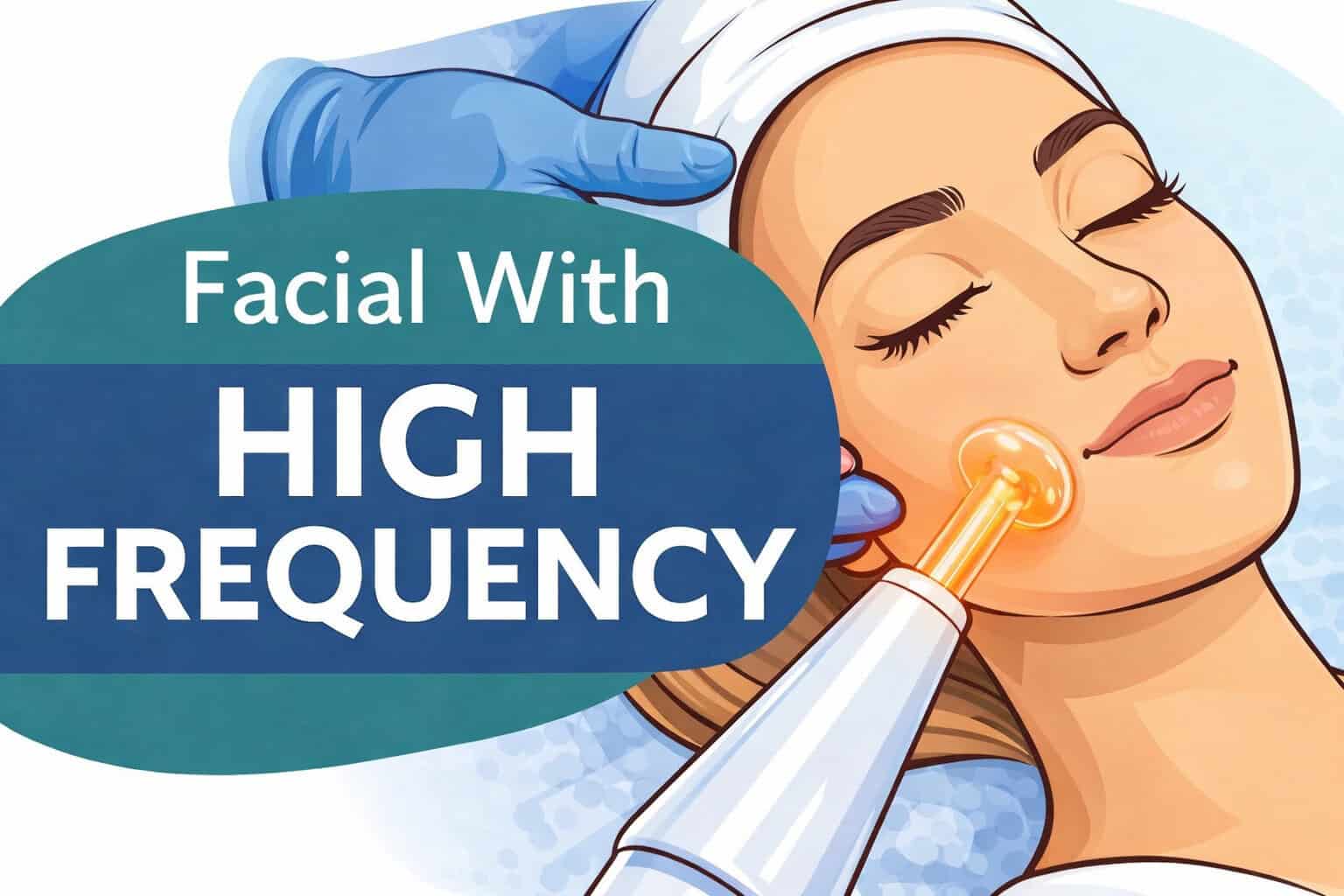
High-frequency therapy is a cornerstone of professional skincare, trusted by estheticians and medspa professionals for decades. This treatment uses a high-frequency machine to deliver a gentle electrical current through a glass electrode. When applied to the skin, the current produces oxygen-enriched molecules that naturally cleanse, calm, and rejuvenate tissue.

For medspas and skincare clinics, high-frequency treatments are a versatile, results-driven addition to a facial or post-extraction routine. They are valued for improving skin tone, promoting healing, and enhancing product penetration — all while being completely non-invasive.


How High-Frequency Machines Work

High-frequency systems operate by passing an alternating electrical current through a gas-filled glass electrode. The current produces a mild thermal effect and releases oxygen in the form of ozone, creating antibacterial and healing benefits.

Professionals typically select electrode shapes designed for specific areas, such as:

  • Mushroom electrodes – for broad facial areas
  • Spoon or bent electrodes – for smaller, hard-to-reach zones
  • Comb electrodes – for scalp and hair-stimulation treatments

This technology helps to:

  • Stimulate blood flow and lymphatic circulation
  • Boost collagen and elastin production
  • Kill acne-causing bacteria
  • Accelerate healing after extractions
  • Improve overall skin vitality and tone

Common Professional Applications

In a medspa setting, high-frequency therapy is commonly used for:

  • Acne treatment: Ozone produced during treatment eliminates bacteria and reduces inflammation.
  • Anti-aging facials: Increases cellular renewal, softens fine lines, and firms the skin.
  • Post-procedure healing: Calms redness and speeds recovery following extractions or microdermabrasion.
  • Scalp and hair rejuvenation: Stimulates follicles to encourage growth and improve circulation.

Because the treatment is gentle, it pairs well with most skincare services — including microdermabrasion, chemical peels, and LED therapy.


Argon vs. Neon: Choosing the Right Gas

Professional high-frequency machines typically use argon or neon gas inside the electrodes:

  • Argon (blue/violet light): Best suited for oily or acne-prone skin.
  • Neon (red/orange light): Ideal for mature, dry, or sensitive skin.

Many multi-function units allow professionals to interchange electrodes to serve both purposes, making them a smart investment for medspa owners and estheticians expanding their treatment menus.


Safety and Maintenance

When used according to manufacturer guidelines, high-frequency treatment is safe and well-tolerated. Professionals should:

  • Avoid use on clients with pacemakers, metal implants, or epilepsy.
  • Ensure electrodes are disinfected between clients.
  • Use the correct intensity setting for each skin type and concern.

Routine maintenance of your device ensures consistent output and long equipment life — an important factor for any busy medspa.


Why High-Frequency Equipment Matters in a Professional Setting

High-frequency technology offers visible, immediate results with minimal discomfort or downtime. For medspas, dermatology offices, and estheticians, it’s one of the most cost-effective and reliable additions to any facial or skincare service menu.

These machines enhance your treatment results, elevate client satisfaction, and reinforce your practice’s reputation for offering advanced, evidence-based skincare solutions.


Included in the Package (Example Setup)

A standard professional high-frequency system may include:

  • Main control unit
  • Multiple glass electrodes (mushroom, bent, comb, and spoon types)
  • Instruction manual or training guide
  • Power cord and protective packaging

FAQ: High-Frequency Therapy

1. What is high-frequency therapy used for?

High-frequency therapy is used to improve skin health and appearance by increasing circulation, boosting collagen production, and killing acne-causing bacteria. Professionals use it to treat acne, fine lines, redness, and even for scalp rejuvenation to encourage hair growth.

2. Is high-frequency treatment safe for all skin types?

Yes, high-frequency therapy is safe for most skin types when performed correctly. However, it should be avoided on clients with active acne cysts, pacemakers, metal implants, epilepsy, or severe rosacea. Always follow manufacturer guidelines and perform patch tests when necessary.

3. How often can clients receive high-frequency facials?

Most clients can safely receive high-frequency treatments once or twice per week during the initial phase, then monthly for maintenance. The frequency depends on skin condition and overall treatment goals.

4. What’s the difference between argon and neon high-frequency electrodes?

Argon electrodes (blue or violet light) are best for oily or acne-prone skin due to their antibacterial properties.
Neon electrodes (red or orange light) are ideal for dry or mature skin, helping boost circulation and collagen for rejuvenation.

5. Can high-frequency therapy be combined with other treatments?

Absolutely. High-frequency facials pair well with microdermabrasion, chemical peels, and LED therapy. These combinations enhance results by improving product absorption and supporting post-procedure healing.

6. What equipment is included in a professional high-frequency system?

A standard professional system includes:

  • A main control unit
  • Multiple glass electrodes (mushroom, bent, comb, and spoon types)
  • Power cord, tubing, and instruction manual
  • Optional electrode storage case or protective packaging

7. How do I clean and maintain high-frequency electrodes?

After each use, electrodes should be wiped with 70% isopropyl alcohol and fully air-dried before the next treatment. Regular inspection and gentle handling prevent cracks and prolong the lifespan of your equipment.


Additional Resources


Slide Stainers in Histology: A Complete Beginner’s Guide

Slide stainers for laboratory microscopy and histology slides, comprehensive beginner's guide.

In every histology or dermatology lab, preparing tissue slides is only part of the job — staining them properly is what brings the science to life. The slide stainer is one of the most crucial instruments in this process, ensuring that each sample reveals the cellular detail needed for accurate diagnosis.

Whether you’re new to lab work or looking to understand how staining fits into the tissue preparation workflow, this guide will walk you through everything you need to know about slide stainers — what they are, how they work, and why they matter.

Slide stainer 101, medical tissue staining device, automation for tissue sample analysis, optimized for pathology labs, AMTECH Medical.

What Is a Slide Stainer?

A slide stainer is a laboratory instrument designed to automate the process of applying dyes and reagents to prepared tissue sections. Staining enhances contrast within biological tissue, allowing microscopic structures like nuclei, cytoplasm, and connective tissue to be seen clearly.

While manual staining can be done with forceps and jars of dye, slide stainers bring precision, repeatability, and efficiency — especially in high-volume labs.


Why Slide Staining Is Important

Without proper staining, even the thinnest tissue section looks like a translucent sheet under the microscope. Stains bind to specific cellular components, highlighting the features that pathologists rely on for diagnosis.

For example:

  • Hematoxylin stains nuclei a deep blue or purple.
  • Eosin colors the cytoplasm and connective tissues pink.
  • Special stains (PAS, Trichrome, Gram, etc.) highlight specific tissue structures or microorganisms.

Automated stainers ensure consistent application, timing, and rinsing for each slide — eliminating variability between technicians and improving diagnostic accuracy.


How Slide Stainers Work

Though models differ, most stainers follow a similar step-by-step sequence:

  1. Load the Slides: Technicians place racks of prepared slides onto the machine.
  2. Select the Program: Choose a protocol — H&E (Hematoxylin & Eosin), special stain, or immunohistochemical (IHC) sequence.
  3. Reagent Dispensing: The machine automatically applies dyes, buffers, and rinses in the proper order and timing.
  4. Rinsing and Drying: Between each reagent, the slides are rinsed or dipped to prevent cross-contamination.
  5. Coverslipping (Optional): Some systems integrate a coverslipper to seal the stained tissue under a protective glass cover.

Each program can include dozens of steps, but automation ensures perfect timing and reagent consistency every time.


Types of Slide Stainers

1. Routine (H&E) Slide Stainers

Hematoxylin and Eosin (H&E) staining is the foundation of histology. Nearly every biopsy, surgical specimen, or dermatology tissue sample goes through this two-dye process.

Routine H&E stainers are built for efficiency and repeatability. They’re designed to handle large volumes of slides quickly — sometimes hundreds per hour — while maintaining uniform staining quality across every batch.

These systems typically feature:

  • Pre-programmed H&E protocols with customizable timing
  • Automated reagent exchanges for clean, consistent results
  • Drying stations and coverslipping modules (in advanced models)

Because H&E is the most frequently performed stain in any pathology or dermatology lab, these stainers are considered essential equipment.

Common users: Hospital pathology departments, dermatology labs, and academic teaching facilities.

2. Special Stainers

While routine stains are used for general tissue architecture, special stains highlight specific structures or chemical components within cells and tissues. These tests help pathologists identify diseases, infections, and metabolic abnormalities that wouldn’t show up with H&E alone.

Special stainers are often capable of running dozens of stain protocols such as:

  • Periodic Acid–Schiff (PAS) for glycogen and fungal elements
  • Ziehl-Neelsen for acid-fast bacilli (e.g., tuberculosis)
  • Masson’s Trichrome for muscle, collagen, and fibrosis
  • Gomori Methenamine Silver (GMS) for fungi and basement membranes
  • Gram Stain for bacterial identification

Automated special stainers save hours of manual handling and reduce reagent exposure. Because these stains often involve delicate chemical reactions, automation ensures the accuracy and reproducibility that manual methods can’t always achieve.

Common users: General pathology labs, infectious disease centers, and dermatopathology facilities diagnosing complex conditions.Used when testing for specific diseases or microorganisms. They can run stains such as Ziehl-Neelsen for TB, PAS for glycogen, or Gram stains for bacteria.

3. Immunohistochemistry (IHC) Stainers

These advanced systems apply antibodies and chromogens to identify proteins within tissue. IHC staining is crucial for cancer diagnosis and molecular pathology.

4. Manual and Semi-Automated Stainers

Smaller labs may still use manual or semi-automated systems. They are more affordable but require careful attention and timing from the operator.


Key Components of a Slide Stainer

  • Reagent Stations: Small containers that hold stains, buffers, and rinses.
  • Robotic Arm or Carousel: Moves slides from one station to the next automatically.
  • User Interface/Touchscreen: Where the operator selects staining protocols.
  • Drain and Waste System: Collects used reagents for disposal.
  • Drying and Cooling Section: Prepares slides for coverslipping or microscopy.

Safety and Maintenance

Like all lab instruments, slide stainers require routine care to stay reliable:

  • Clean reagent trays daily to prevent contamination.
  • Replace reagents regularly — especially alcohols, xylene, and stains that degrade over time.
  • Run system rinses at the end of the day.
  • Schedule preventive maintenance every 6–12 months for calibration and seal replacement.

Most modern systems have sensors to alert users to low reagent levels or blocked lines, minimizing errors before they affect results.


What Beginners Should Know Before Operating a Slide Stainer

If you’re new to the histology lab, here are the basics to keep in mind:

  • Always verify the staining protocol before running a batch — small errors can ruin dozens of slides.
  • Label slides clearly to prevent mix-ups.
  • Keep reagents capped to avoid evaporation and contamination.
  • Never skip the cleaning cycle; residue buildup can cause inconsistent staining.
  • Handle slides carefully after staining — fingerprints, smudges, or dust can obscure microscopic details.

Slide Stainers and Dermatology

In dermatology, slide stainers are used in both Mohs surgery and routine histopathology. Rapid turnaround is critical in Mohs labs, where pathologists need immediate results to determine if all cancerous tissue has been removed. Automated stainers make that possible by completing high-quality stains in minutes rather than hours.


Final Thoughts

Slide stainers are the bridge between tissue preparation and microscopic diagnosis. For beginners, understanding how they function — and how they fit into the larger histology workflow — is the first step to mastering the art and science of histological staining.

Automation, precision, and proper care are what keep these systems producing beautiful, diagnostic-quality slides day after day.


Our Inventory


Additional Resources


Microtomes in Histology: A Complete Beginner’s Guide

Microtomes for histology sample preparation, essential for accurate tissue slicing and analysis.

In the world of histology, precision is everything. Whether you’re preparing tissue samples for dermatology, pathology, or research, each step determines the quality of the final slide — and ultimately, the accuracy of a diagnosis.

One of the most vital tools in this process is the microtome — a precision instrument designed to cut tissue sections so thin they’re nearly transparent. If you’ve ever seen a perfectly mounted tissue slide under a microscope, that accuracy begins right here.

This guide will walk you through the fundamentals of what a microtome is, how it works, and what beginners need to know before using one.


What Is a Microtome?

A microtome is a precision cutting instrument used to slice extremely thin sections of biological tissue for microscopic examination. The term comes from the Greek mikros (small) and temnein (to cut) — quite literally meaning “small cutter.”

Microtomes allow histotechnologists to cut sections as thin as 1–10 microns (one micron = one-thousandth of a millimeter). These thin slices can then be stained, mounted, and examined under a microscope for diagnostic or research purposes.

Without a properly functioning microtome, even the best-processed tissue cannot produce clear, usable slides.


Why Microtomes Are Essential in Dermatology and Histology

Tissue processing and embedding create a paraffin-wax block that preserves structure — but the microtome is what reveals that structure.

In dermatology and Mohs surgery labs, microtomes are critical for cutting skin samples to evaluate cancer margins. In general pathology, they’re used on every paraffin block that comes through the lab.

The microtome’s ability to make precise, repeatable cuts ensures:

  • Clear microscopic detail
  • Accurate cellular morphology
  • Consistent results between samples
  • Reduced waste from tearing or uneven sections

How a Microtome Works

Although there are different types of microtomes, they all share the same basic mechanism: a specimen block is advanced toward a razor-sharp blade, which shaves off a thin slice each time the handle or motorized wheel is turned.

Here’s the step-by-step process in simplified terms:

  1. Mount the block: The paraffin-embedded tissue is clamped securely into the block holder.
  2. Set the thickness: The operator adjusts the micrometer dial to select a section thickness (commonly 4–6 microns for most diagnostic slides).
  3. Trim the block: Several thick sections are cut first to expose the full tissue surface.
  4. Cut the sections: Once the surface is exposed, thin ribbons of tissue are cut. These ribbons curl into delicate waves, ready to be placed on a warm water bath for flattening.
  5. Mount the sections: The smoothed sections are picked up on glass slides for staining and examination.

Types of Microtomes

Modern labs use different kinds of microtomes depending on their workflow and specimen type:

1. Rotary Microtome

The most common type in histology labs. It uses a rotating handwheel to move the tissue block up and down across a fixed blade. Known for precision, speed, and repeatability — perfect for paraffin-embedded samples.

2. Cryostat Microtome

Used inside a refrigerated cryostat chamber to cut frozen tissue sections. Ideal for Mohs surgery or situations where rapid results are needed (e.g., intraoperative diagnoses).

3. Sliding Microtome

Commonly used for large or hard samples such as brain tissue. The knife moves horizontally over the specimen block rather than the other way around.

4. Ultramicrotome

Used in electron microscopy to produce ultra-thin sections (less than 0.1 micron) for examining subcellular structures.


What a Beginner Should Know Before Using a Microtome

Operating a microtome safely and effectively requires training, attention, and care. Here are the essentials:

⚙️ 1. Blade Safety

Microtome blades are extremely sharp — sharper than surgical scalpels. Always handle them with forceps, use the blade guard when not cutting, and never reach near the knife edge with your hands.

🧊 2. Temperature Matters

If the block is too warm, tissue will compress or wrinkle. If it’s too cold, sections can shatter. A block cooling plate or freezer helps achieve the right consistency for clean, smooth ribbons.

🧴 3. Section Adhesion

To ensure sections stick properly to slides, use a water bath (around 40–45°C). The gentle heat flattens the ribbons before they’re transferred onto the glass.

🧹 4. Maintenance

Keep the instrument clean and well-lubricated. Regularly change blades, clean paraffin debris, and check for mechanical play in the block holder.

🧠 5. Common Beginner Mistakes

  • Cutting too fast, leading to uneven ribbons
  • Incorrect clearance angle between blade and block
  • Using dull or dirty blades
  • Skipping the trimming step before sectioning

Where Microtomes Are Used

You’ll find microtomes in nearly every lab that handles tissue specimens, including:

  • Dermatology labs – especially for Mohs micrographic surgery
  • Hospital pathology labs – for biopsy and surgical samples
  • Academic and research facilities – for teaching and cell studies
  • Veterinary pathology labs – for animal tissue analysis

Every histopathology lab, from small private practices to large medical centers, depends on them daily.


The Role of Microtomes in Diagnostic Accuracy

Ultimately, the quality of a tissue section can determine the accuracy of a diagnosis. A microtome that produces consistent, artifact-free sections helps pathologists see details such as cell boundaries, nuclei, and abnormal growth patterns.

In skin cancer diagnosis, for instance, poorly cut sections can obscure margins and lead to inaccurate results. That’s why both instrument quality and operator skill are equally important.


Final Thoughts

Microtomes are the workhorses of histology — quietly but critically shaping the foundation for every diagnostic slide. For beginners, understanding how they function, how to handle them safely, and what to look for during operation builds confidence and precision in the lab.

Whether you’re just starting your histology journey or training new staff, knowing the fundamentals of microtomy is an essential first step toward mastering tissue preparation.


Additional Resources